Chatbot

Indigitall indigitall Omni AI

Close

Hey there!

I am indigitall AI, how can I help you today?

Start chat with AI agent Speak with AI voice agent Book a Demo
Get a demo contact-icon Contact

Questions to Ask an AI Customer Service Vendor Before You Commit to a Pilot

TL;DR: The questions to ask an AI customer service vendor before committing to a pilot fall into seven areas: scope, customer data, security, human handoff, testing, metrics and stop criteria. An answer only counts if your team can check it before a single customer talks to the agent. That means checking audit reports for their date, period and scope, testing the agent on your own past conversations, getting the resolution rule in writing and watching a live handoff. Sign the stop and rollback plan before day one, and calculate the pilot cost per resolved conversation.

It's the week after the second demo. The vendor's agent answered every question the sales engineer typed, passed a mock refund request to a "live agent" without a hitch, and the last slide proposed a pilot starting next month. Your security lead has already sent a list of questions. Legal wants to know who's responsible if the agent gets a refund policy wrong. Your team leads want to know whether customers will end up stuck in a loop. And you're the one who signs off.

The demo showed the agent answering the questions the vendor picked. The pilot has to show it answering yours, so you need to set that up before you commit.

This guide is for heads of support, CX and contact center operations at mid-size and large US companies who are about to sign off on an AI agent pilot, with security, legal and procurement reviewing it alongside them. You'll leave with the questions to ask, what a verifiable answer looks like for each one, and a stop plan you can sign before the agent sees a real customer.

What should you ask an AI customer service vendor before committing to a pilot?

Ask the questions that turn a demo into evidence, grouped into seven areas (scope, customer data, security, human handoff, testing, metrics and stop criteria).

A useful AI customer service vendor evaluation adds three things to every question before anyone signs: what evidence counts as an answer, how your team will check it, and what decision that answer lets you make.

Plenty of published lists of questions to ask AI vendors already exist, and some of them ask for proof. The table below puts the evidence, the check and the decision next to every question. Its last row ties every answer to a stop plan that you and the vendor sign before the pilot starts.

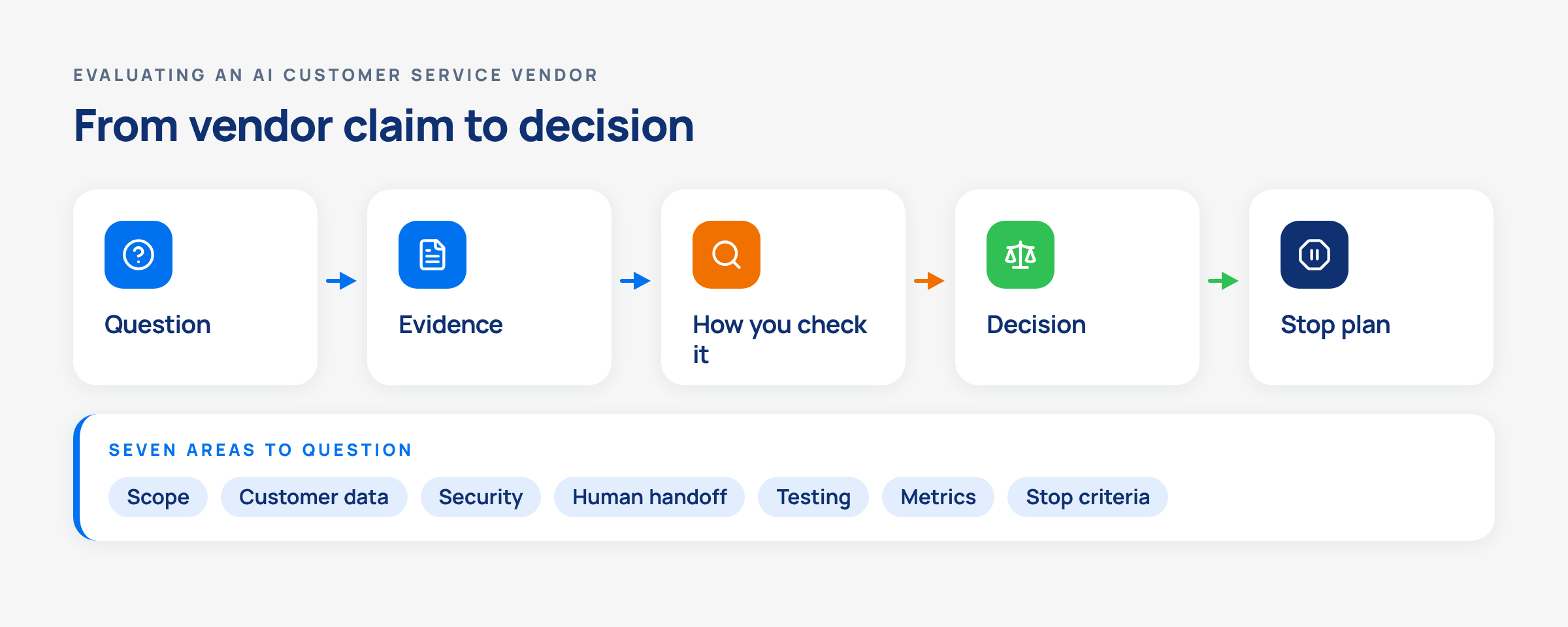
Flow from question to evidence, check, decision and stop plan, with the seven pilot areas listed under the first box.
A vendor answer only counts once your team can check it and tie it to a decision to go, change the scope or stop.
Area and question Evidence that counts How you check it Decision it unlocks
Scope. Which questions, channels, hours and actions will the agent handle? A written scope built from your own contact logs, with excluded topics named Compare the scope with a sample of recent conversations from your queue Sign off on the scope, or narrow it before day one
Customer data. What will the agent read, and where is it processed? A data flow listing knowledge sources, connected systems, any third-party model, retention and deletion Have the vendor show each source, its last sync date and every system the agent can reach Approve each source and system, or take it out of the pilot
Security. Which independent audits cover the service you're buying? Audit reports with a report date, an audit period and a stated scope Match the scope line in each report to the product in the pilot Submit it for security review, or request the missing report
Human handoff. What happens when the agent can't answer? A live handoff on one of your own tickets, showing what the person receives Time the wait, read what lands on the human agent's screen and note whether the customer has to repeat information Accept the handoff design, or add it to the stop criteria
Testing. How will the agent be tested before customers see it? A test run on your own past questions, including the same question asked several ways Score every answer with your own reviewers against your own sources Move to a limited rollout, or extend testing
Metrics. How does the vendor count a resolution? The resolution rule in writing, with its denominator Recount a sample of "resolved" conversations by hand Agree on the success criteria and how the total cost per resolved conversation is calculated
Stop criteria. Who can switch the agent off, and what happens then? A signed stop and rollback plan with named owners and a manual fallback Rehearse one pause before launch, with the vendor on the call Start the pilot, or hold it until the plan exists

The last row connects the others. Every "add it to the stop criteria" in the decision column ends up in that plan, so by the time the pilot starts, you already know which answer would end it. The NIST AI Risk Management Framework is voluntary and sets no pass mark for any of this. It gives your security and legal reviewers a shared language, from third-party risk to who is responsible for deactivating a system.

What will the AI customer service pilot cover and exclude?

Start with your own logs. Pull the routine questions your team answers every day. Check which channels they arrive on and when they peak. Then write the pilot scope around those questions.

The document should specify the share of conversations the agent will see, the systems it may only read, and the actions it may take (an order lookup, a booking change). It should also identify the topics that stay with people from day one and who on your team is responsible for each of those decisions.

AI pilot programs built on the vendor's showcase use cases can only prove the showcase.
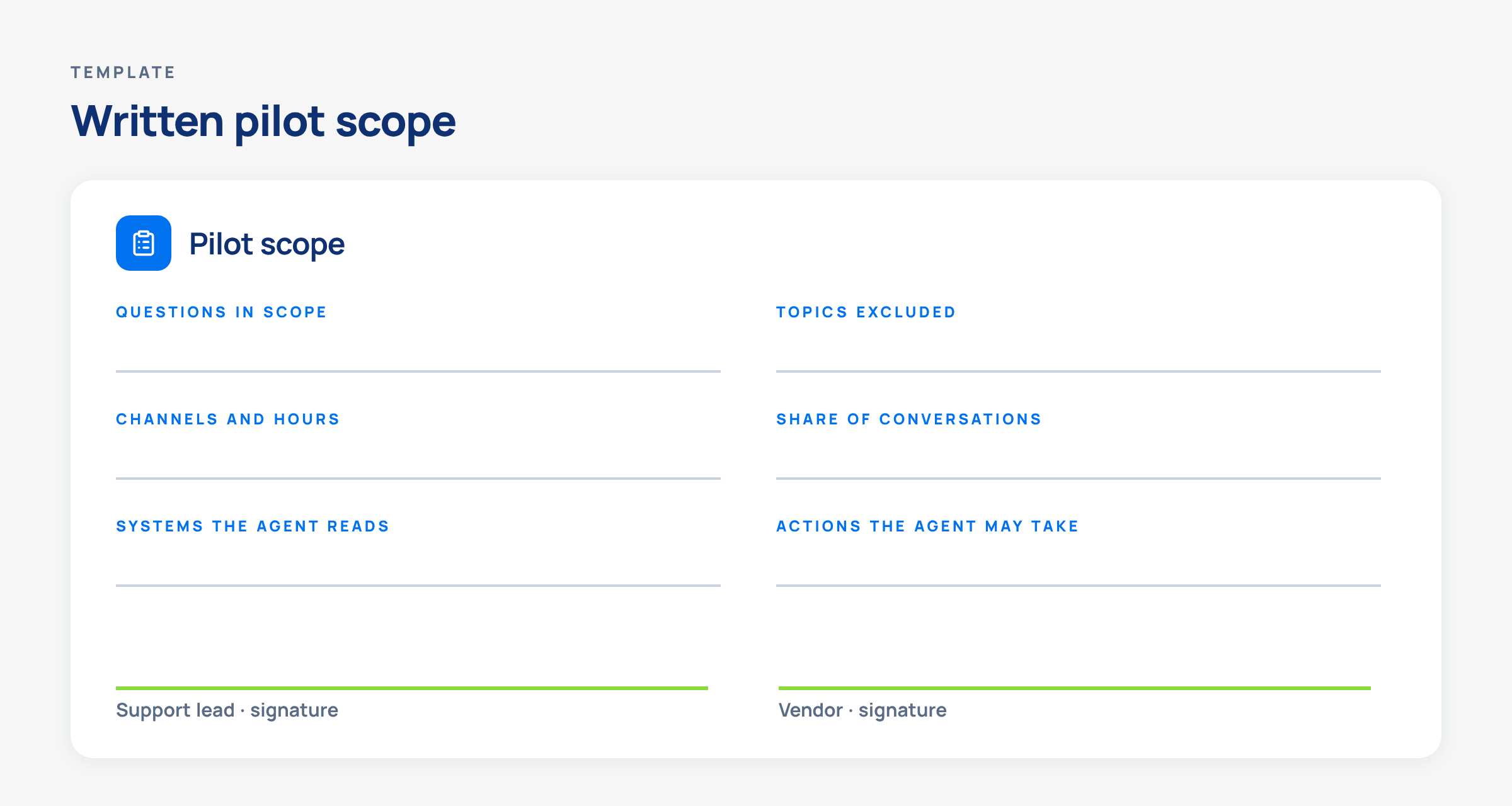
Pilot scope card with fields for questions, excluded topics, channels and hours, share of conversations, systems and actions, and two signatures.
A pilot scope is ready when every field comes from your own logs and both sides have signed it.

Ask how the vendor limits exposure while the pilot runs. HubSpot's documentation describes deploying its customer agent to a single channel or to a small percentage of conversations, and setting the days and hours it responds. Sierra describes rolling a release out to a portion of customer traffic and rolling back just as fast if something unexpected appears. Make sure the scope document names the mechanism and the person allowed to change the percentage.

Then ask where you can try the agent before a customer can reach it. indigitall documents a client-specific space for testing chatbot responses before channel integration, with two-factor sign-in, and clients in the US and Latin America work on its AM1 platform. Confirm the testing space's isolation and access controls for your deployment. Its AI Voice page describes four stages (design, test in a sandbox, scale and optimize), with test calls run in the sandbox on your own scenarios. If you're still figuring out which conversations a bot should handle, indigitall's guide to chatbots for customer support is a broader place to start.

What customer data will the AI agent read, and where will it go?

Request the data flow on one page. It should show the knowledge sources the agent answers from and how often each one syncs. It should also identify the systems the agent can query in real time and whether any third-party language model sees your customers' messages. Finally, it should explain how long data is kept and how it gets deleted.

Security and legal will want this page before anything else. In banking, healthcare or any other regulated sector, it's the page that determines whether the pilot goes ahead at all.
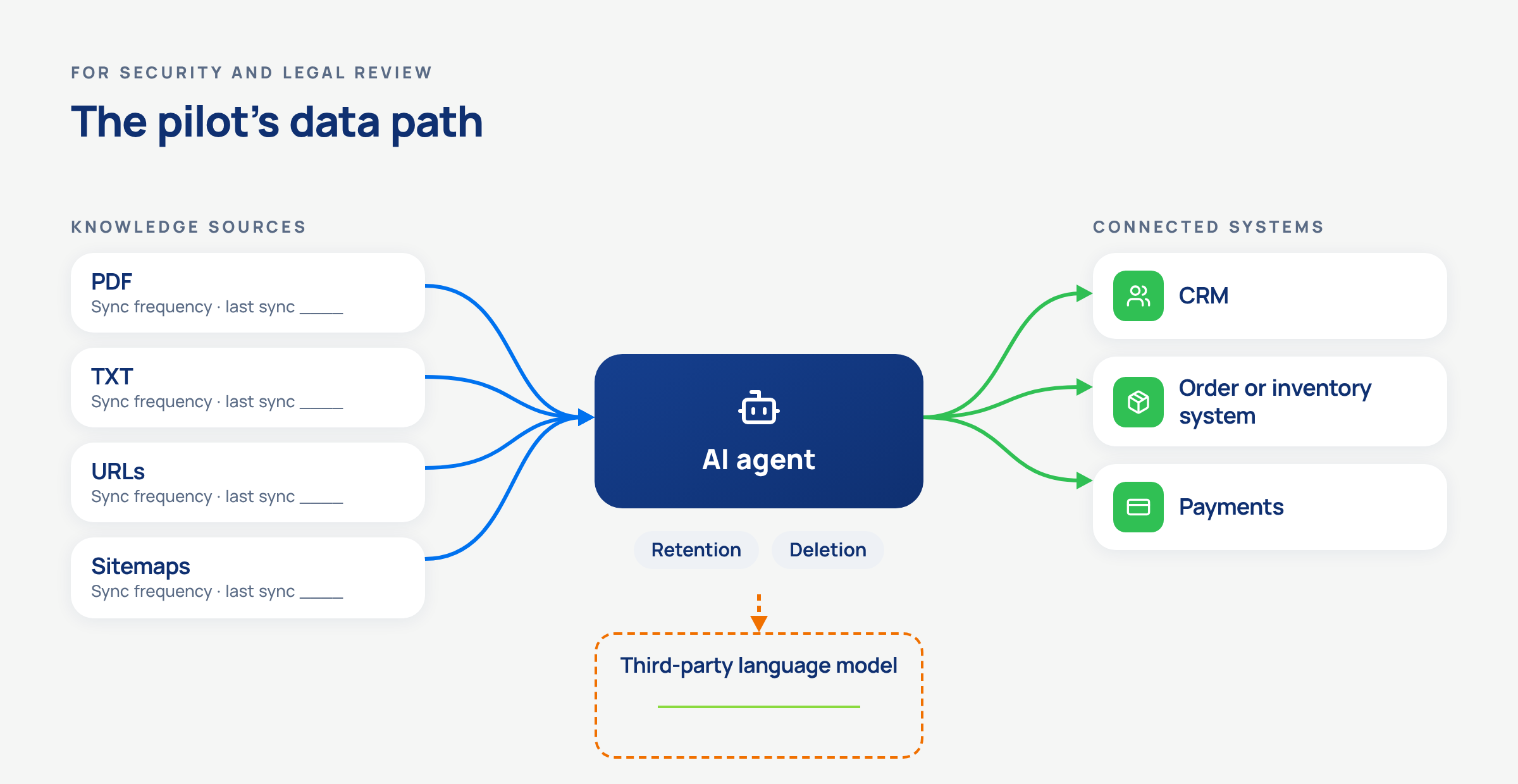
Data flow from knowledge sources to an AI agent and connected systems, with a dashed box for any third-party model and retention labels.
Every arrow on this diagram is a question for the vendor, and every box needs a written answer before the pilot.

NIST's generative AI profile suggests contracts and service level agreements that spell out content ownership and usage rights, and it folds vendor due diligence into the way an organization acquires a generative AI system. It's a voluntary framework and doesn't certify anyone. Use it as a checklist for the contract review and as vocabulary both sides already share.

indigitall's AI agents are a concrete example of a checkable answer. They use retrieval-augmented generation trained only on the content the client provides, with nothing from the public internet. The AI agent documentation also says the client decides what information the agent uses.

Sources can be PDF or TXT files, web addresses or sitemaps, all in the same language. The sources settings show how often each one re-syncs and when it last did. The agent reaches systems such as a CRM, ERP, inventory, payments or a healthcare record through the Model Context Protocol (MCP).

On the same AI agents page, indigitall states that customer queries are not sent to OpenAI, Anthropic or Google for processing by a third-party language model. It also states that the reasoning layer runs on its own infrastructure with your data. Its security documentation, covered in the next section, lists Google Cloud as the infrastructure the platform is built on.

Confirm the full data flow and infrastructure for your deployment.

Each connected system also requires integration work. Ask which systems the pilot really needs, who builds each connection, and how much time and support the vendor expects each connection to require, including support from your team.

Retention and deletion belong on that same page. Ask how long conversation logs and data pulled from connected systems are stored, where they're stored, and how you'd get them deleted when the pilot ends. Get those answers in writing, whatever the vendor's certifications say.

How can you verify the vendor's security before the pilot?

Get the reports, with their dates. A security page full of badges tells you which audits a vendor has passed at some point. A dated report tells you when the audit happened, which period it covered and which service it applied to, and that's what your security team needs before it signs off.

The scope is the detail that's easiest to overlook. An audit can cover one product and leave out another, so match the scope in each report to the exact service in your pilot. Check access and encryption next, meaning role-based access with multi-factor authentication for the people who configure the agent, and encryption in transit and at rest. A healthcare buyer should also ask whether the vendor signs Business Associate Agreements and which service its HIPAA audit actually covers.

indigitall's security documentation shows what a checkable answer looks like.

It lists a SOC 2 Type II report dated January 20, 2026, covering an audit period from August 15 to November 14, 2025. It also lists ISO/IEC 27001:2022 certification valid until July 23, 2029, and a GDPR verification valid until April 17, 2027.

Its HIPAA audit has a final report dated May 22, 2025, and covers the encrypted push notification service. The page also says indigitall signs BAAs with US healthcare organizations.

The same page lists role-based access control with multi-factor authentication, TLS 1.2+ in transit, AES-256 at rest and infrastructure built on Google Cloud.

Claims about accuracy deserve the same treatment as claims about security. When the FTC announced Operation AI Comply on September 25, 2024, it said there is "no AI exemption from the laws on the books," and its complaint against DoNotPay alleged the company hadn't tested whether its chatbot's output matched the level of a human lawyer. The agency's final order against Workado, announced on August 28, 2025, requires "competent and reliable evidence to support the claim at the time it is made" for claims about its product's effectiveness. If a vendor quotes a resolution or accuracy rate, ask for the method and the evidence before the pilot, and treat a number that comes with neither as marketing.

What happens when the AI customer service agent can't answer?

Have the vendor demonstrate it on one of your own tickets. A good handoff test answers four questions in a single run:

  • How does the agent know it can't answer?
  • How long does the customer wait for a person?
  • What does that person see when the conversation lands (the history, the customer profile, the steps already tried)?
  • Was the customer told from the start that they were talking to an AI?

A handoff that makes the customer start over only delays the resolution it was meant to deliver.
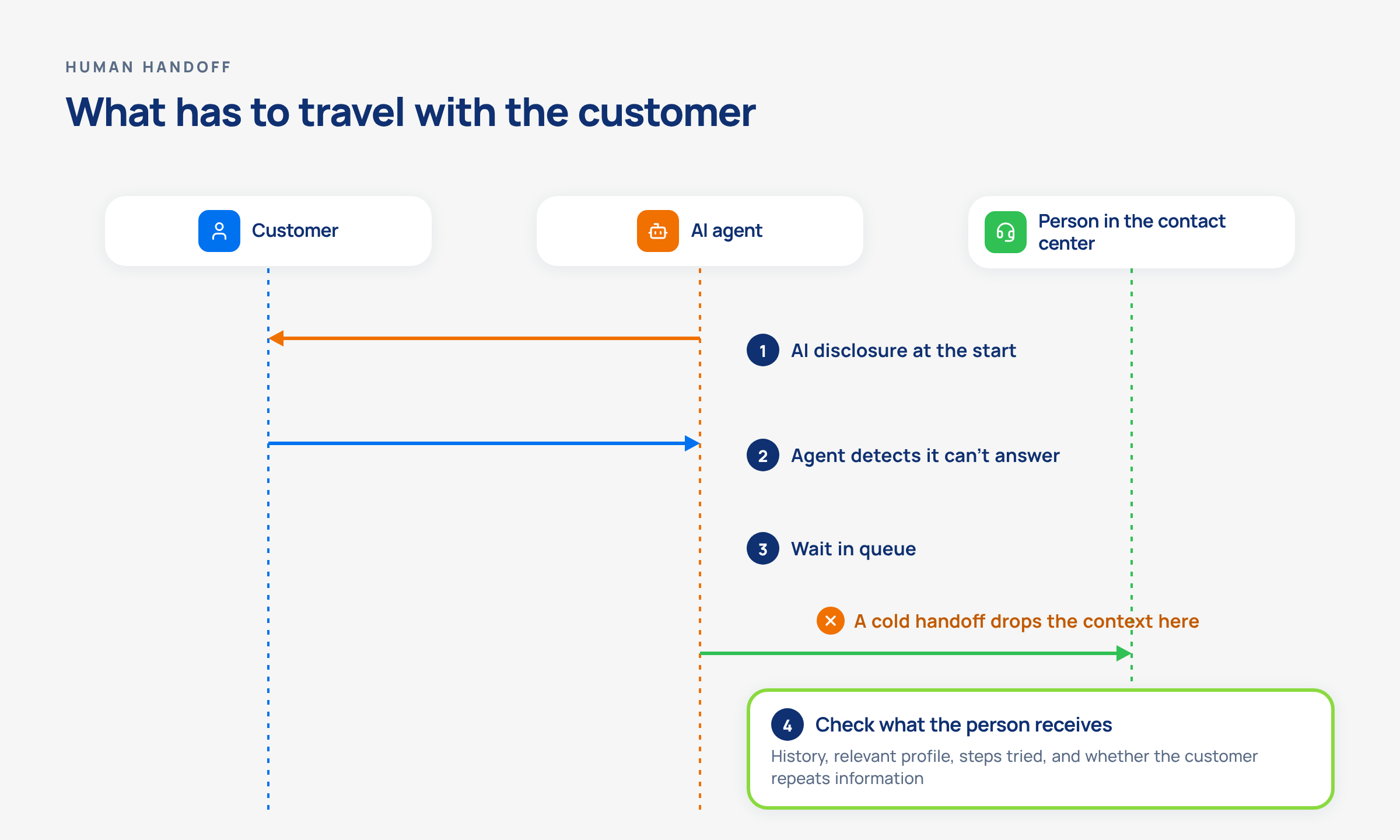
Sequence of a customer, an AI agent and a person, with checkpoints for AI disclosure, unanswered question, queue wait and a check of the context passed.
Test whether the person receives the history, relevant profile and steps already tried, and whether the customer needs to repeat information.

Regulators and lawmakers are already treating the handoff as a compliance question. The CFPB's report on chatbots in consumer finance, published on June 6, 2023, described "doom loops" that are often caused when an issue falls outside a chatbot's limited capabilities, warned that offramps to human support can be blocked by unreasonable waits, and said inaccurate information about a financial product "could be catastrophic." It added that chatbots must comply with all applicable federal consumer financial laws. California's AB 1609, signed on September 28, 2026, requires large businesses to make a good-faith effort to connect a customer to a human within 15 minutes of a request, or schedule an appointment, and to disclose when the representative is a chatbot, according to the governor's announcement.

indigitall's AI agents page says its agent hands off to a live agent in the Contact Center with the full conversation history, the customer profile and the attempted resolution steps already loaded, which the company sums up as "No cold handoffs." Check that claim on your own tickets, as you would any other. The agent can transfer to an unlimited, configurable number of human agents. The person taking over a voice call gets a real-time transcript and a summary of the context, and the voice agent tells the customer at the start of each call that they're speaking with an AI agent.

Then ask how you'll monitor handoffs while the pilot runs. You want queue length, average and maximum wait, and the ability to read any conversation and transfer it. indigitall's supervisor view shows those statistics in real time, and its agent panel lets an agent route an ongoing chat to another agent or department.

How should you test the AI agent before real customers see it?

Test with your own past questions in an environment customers can't access. Take a set of real conversations from your logs, keep the awkward ones, ask the same question several ways, and have your own reviewers score the answers against your sources. NIST's generative AI profile frames this as evaluating "claims of model capabilities using empirically validated methods," and it names confabulation, a model confidently presenting false content, among the risks it covers. Vendors talk a lot about hallucination prevention. A test run on your own data is the version of that claim your security and legal teams can actually check.

Vendor documentation shows what a serious test looks like. Salesforce recommends using its Agentforce Testing Center only in a sandbox environment.

Intercom describes batch tests of up to 50 questions for eligible existing workspaces. Since November 5, 2026, new workspaces use Evals instead. Evals simulate multi-turn conversations and can be rerun as a regression suite after a change. Teams can recreate a real conversation to test it again.

HubSpot lets admins generate batch test questions from existing customer conversations before the agent goes to live channels. Zendesk advises asking realistic questions, asking the same question in different ways, and using two kinds of testers: one focused on process and one on experience. Sierra describes voice simulations with accents, background noise and interruptions, built to catch the problems that only show up in calls.

Turn that into commitments and write them into the pilot plan.

Ask whether you can load a batch of your own questions or only type them one by one. Find out who scores the answers and against which rubric. Also ask whether the tests run again after every change to the knowledge sources and who on your team gets access to the test environment.

Guardrails belong in the same test run. indigitall's generative AI chatbot documentation lists guardrails you can check in the testing space before channel integration. The bot never returns HTML code, it limits the length of individual words in its answers, and its welcome message identifies it as a bot. According to its testing documentation, the chatbot restricts access until the following day when a user exceeds the default limit of 10 inappropriate questions in one day. The limit is configurable through the chat channel's API.

Which metrics decide whether the pilot works?

Write five metrics into the pilot plan, each with a baseline you measure yourself before day one:

  • The resolution rule and its denominator
  • Fallbacks
  • Recontact on the same issue
  • Wait time after a handoff
  • Cost per resolved conversation

Agree on the resolution rule before you agree on any target. Those five numbers, compared with your own baseline, become the pilot's success criteria in the contract annex.
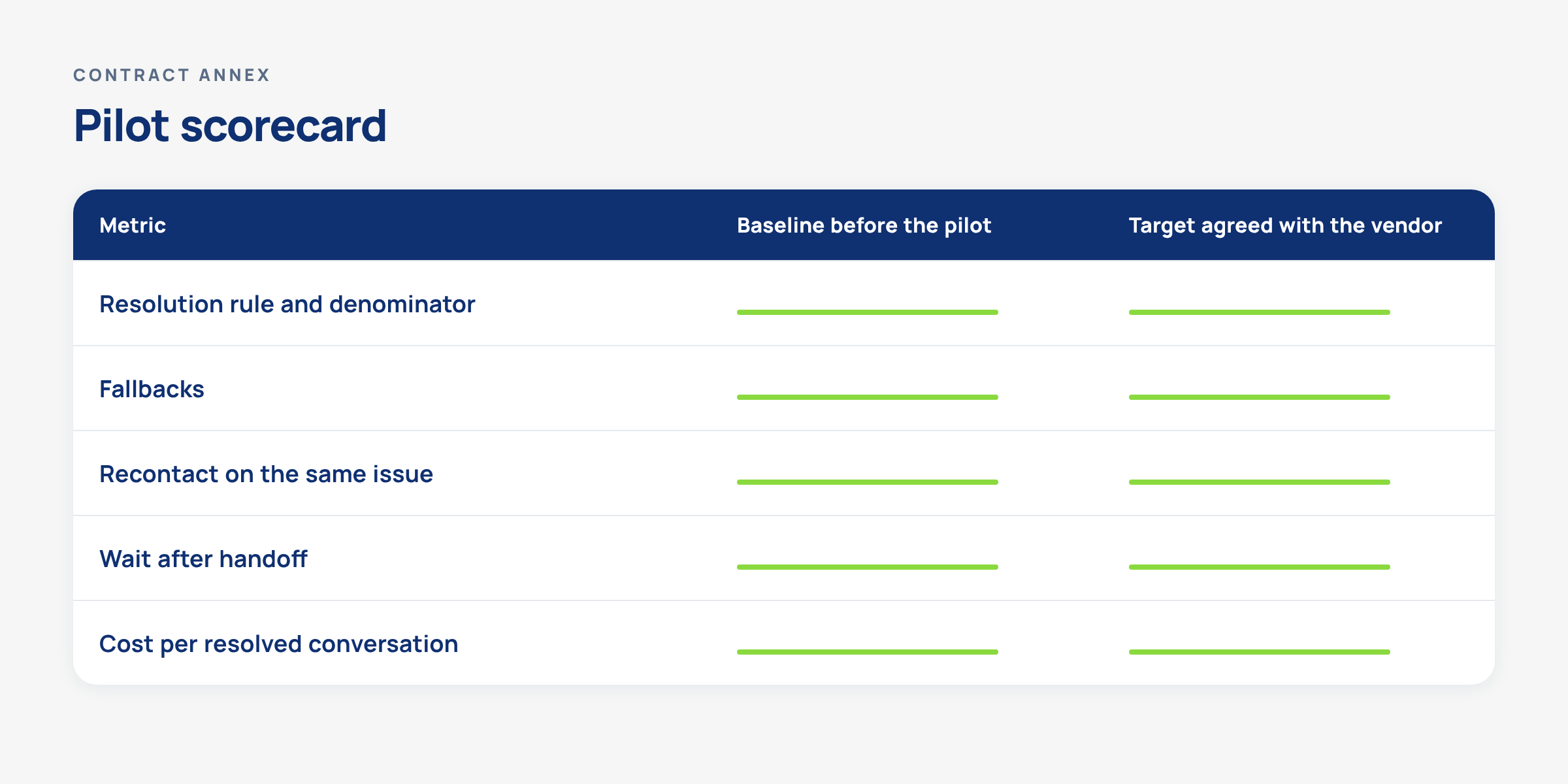
Pilot scorecard with rows for resolution rule, fallbacks, recontact, wait after handoff and cost per resolved conversation, and blank columns.
The pilot works when these five numbers move against a baseline you measured yourself, under a resolution rule both sides signed.

Each vendor counts a resolution its own way, so get the definition in writing and decide which conversations count as resolved in your pilot. Zendesk separates a verified resolution from a contained one. For customer-agent replies, HubSpot counts a resolution when the agent provides a sourced answer or performs an action and there's no qualifying handoff within 72 hours of the visitor's last response. Lead qualification is a separate resolution path. Salesforce reports a deflection rate, the share of sessions that ended without escalation. That's why there's no meaningful average resolution rate for AI customer service agents across industries. The published numbers don't count the same thing.

Quality and customer experience need their own signals. Track fallbacks (the questions the agent couldn't answer) and whether they drop week by week as you fix the knowledge sources. Track recontact too. A customer returning about the same issue can signal an unresolved problem. Review those conversations before you classify them as unresolved. Calculate the total pilot cost per resolved conversation using an agreed resolution rule, and review a sample to check whether customers actually received help.

indigitall's chatbot detects when a question goes unanswered, reports the most frequently asked topics and the fallbacks, and lets customers rate the conversation with emojis. Clients can also set a monthly spending limit and receive email alerts at 80% and 100% of it, which keeps the cost of a pilot visible while you measure it. Ask for access to the underlying conversations, whichever tool you pilot, so your team can recount a sample of "resolved" ones by hand.

When should you pause or stop the AI customer service pilot?

Decide that before day one, and sign it.

A stop and rollback plan should name the signals that pause the agent and who can switch it off. It should explain what happens to conversations in flight and how customers get back to a person while you fix the problem. It should also name who signs the plan (support, security and the vendor).

NIST's generative AI profile asks for protocols that make sure a system is "able to be deactivated when necessary," along with specific deactivation criteria that are reviewed regularly. The AI RMF adds mechanisms and assigned responsibilities to "supersede, disengage, or deactivate" a system that performs in ways inconsistent with its intended use.

The framework is voluntary and sets no thresholds. Your team picks those, and NIST gives the plan a structure your reviewers will recognize.
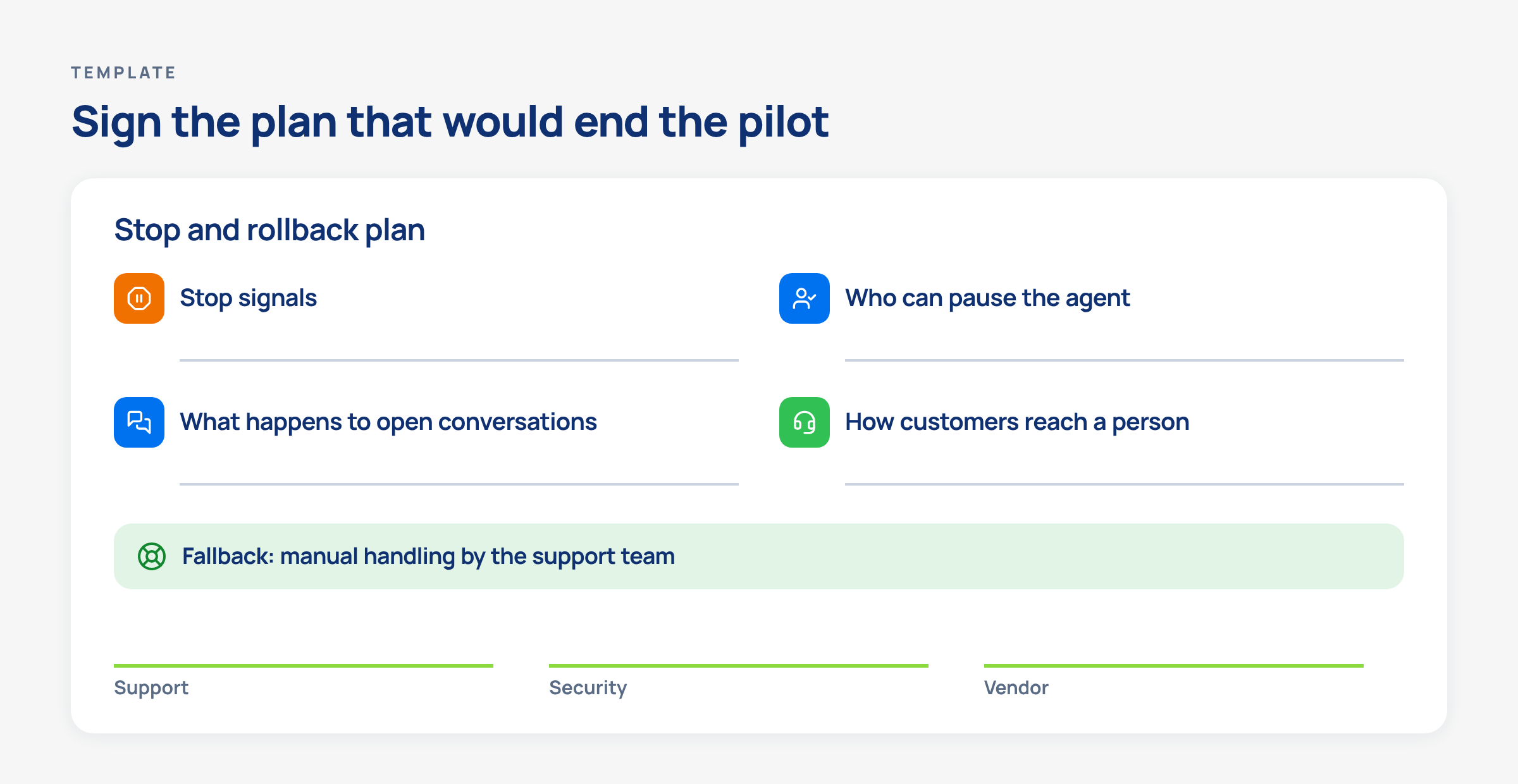
Stop and rollback plan with stop signals, owners, open conversations, route to a person, manual fallback and three signature lines.
The pilot is ready to start when the plan that would end it is already signed by support, security and the vendor.

The thresholds are yours to set, but the signals are easy to name in advance. These are examples to adapt.

Stop signal What it looks like Who decides What happens next
Inaccurate answer on a sensitive topic The agent gives a wrong refund, billing or eligibility answer Support lead with compliance Pause that topic, route it to people, fix the source
A person can't be reached Customers who ask for a human wait longer than your plan allows Contact center manager Pause the agent on that channel until staffing recovers
Data outside the agreed scope The agent reads or reveals data from a system that isn't in the scope Security Stop the pilot and review access
Fallbacks that don't drop Unanswered questions stay flat after knowledge fixes Support lead and vendor Freeze any expansion and review the scope
A vendor claim you can't reproduce A quoted rate doesn't hold on your own sample Procurement Hold the rollout decision

Rollback needs a destination. NIST's profile treats fallback as something to test and manage, and notes that the fallback can be manual processing, so write down which queue takes over the agent's conversations, how quickly, and who tells the team. Rehearse one pause before launch with the vendor on the call, and measure how long it takes for every channel to return to human handling.

Plan the exit while you're at it. Ask what happens to your knowledge sources, test sets and conversation logs if you don't continue, and how they're returned or deleted. A pilot you can exit cleanly is a pilot your reviewers can approve faster.

If you're putting these questions to vendors right now, put them to indigitall too. You can ask for a demo and check every answer against its public documentation on security, knowledge sources and the handoff to the Contact Center.

FAQs: AI customer service vendor pilot

How do you test an AI customer service agent for hallucinations before a pilot?

Run the agent on a set of your own past conversations before any customer can reach it, ask the same question several ways, include questions it shouldn't answer, and have your own reviewers score each answer against your sources. NIST's generative AI profile calls the risk confabulation and recommends evaluating claims of model capabilities with empirically validated methods. Ask the vendor which content the agent answers from and whether you can restrict it to your own sources, then make an inaccurate answer on a sensitive topic one of the pilot's stop signals.

Can you configure an AI agent's guardrails yourself, or does the vendor set them?

It depends on the vendor, so ask which guardrails are fixed, which ones your team can change, and who changes them during the pilot. indigitall's generative AI chatbot, for example, never returns HTML code, limits the length of individual words, identifies itself as a bot in its welcome message, and restricts access until the following day when a user exceeds the default limit of 10 inappropriate questions in one day. The limit is configurable through the chat channel's API. Write every guardrail you rely on into the pilot scope and test each one before launch.

What observability should an AI customer service vendor give you during a pilot?

You need real-time visibility into conversations, handoffs and queues, plus regular reports on the questions the agent couldn't answer. A workable setup shows queue length and average and maximum wait, lets a supervisor read any conversation and transfer it, and reports fallbacks and the most frequently asked topics. indigitall's supervisor view, for example, shows agent and conversation statistics in real time. Before the pilot starts, agree on who reviews these reports, how often, and which numbers trigger a stop.

How do you know the AI agent hands off to a person at the right moment?

Define the moments in writing (a topic on your sensitive list, a customer asking for a person, a repeated unanswered question) and test each one on your own tickets before launch. Once the pilot is live, read a sample of conversations where the agent kept going and check whether it should have handed off. California's AB 1609, signed on September 28, 2026, asks large businesses to make a good-faith effort to connect a customer with a person within 15 minutes of a request or schedule an appointment, and the CFPB's 2023 report on chatbots in consumer finance warned about offramps blocked by unreasonable waits.

What data residency and certifications should you ask an AI customer service vendor about?

Ask where your data is stored and processed, which language models see your customers' messages, how long logs are kept and how they're deleted, and get every answer in writing. Ask for each certification report with its date, audit period and scope, and check that the scope covers the product in the pilot. indigitall, for example, lists a SOC 2 Type II report dated January 20, 2026, ISO/IEC 27001:2022 certification valid until July 23, 2029, and a HIPAA audit whose scope is its encrypted push notification service.

Should you start with a sandbox or a pilot before signing a long contract?

Start with a sandbox, then move to a limited pilot. Testing in an environment customers can't reach lets you check answers, guardrails and handoffs on your own questions without exposing a single customer. A pilot then puts the agent in front of a share of real conversations under a signed scope, written success criteria and a stop plan. Ask each vendor where testing happens and what it takes to move from the sandbox to the pilot.

Why do AI customer service pilots fail to reach production?

AI customer service pilots stall when the success criteria, the resolution rule or the stop plan were never written down, so the results can't support a decision either way. Other common causes are a scope copied from the vendor's showcase use cases, and integration work with your own systems that nobody planned for. Writing down the success criteria, the resolution rule and the stop plan before the pilot starts gives you a result you can take to a committee.

About the Authors

Juan Carlos de la Vela

Juan Carlos de la VelaChief Executive Officer (CEO) at Indigitall

Juan Carlos de la Vela Benavides is the CEO and co-founder of Indigitall, an AI-driven customer engagement platform. With over 23 years of international experience, he has held senior roles at leading technology companies. At Indigitall, he leads the company’s strategic direction and oversees operations. His extensive background in sales and management has been instrumental in Indigitall’s growth and innovation in the digital communication sector.

Xavier Omella

Xavier OmellaCo-Founder

Xavier Omella is the Co-Founder of Indigitall, an AI-driven platform that enables businesses to manage and automate customer engagement across multiple digital channels. Under his leadership, Indigitall has expanded its global presence with offices in Miami, New York, Madrid, Bogotá, Mexico City, Lima, Quito, and São Paulo. The company has been recognized for its innovative approach to digital communication, earning the ISO 27001 Certification for Information Security Management System (ISMS) and the Innovative SME certificate from the Spanish Ministry of Science, Innovation and Universities. Indigitall’s platform offers a comprehensive suite of tools, including AI-powered marketing automation, customer journey orchestration, and omnichannel engagement, serving industries such as retail, healthcare, banking, and telecommunications.

Josh Rice

Josh RiceChief Marketing Officer at Indigitall

Josh Rice is the Chief Marketing Officer at Indigitall, an AI-driven customer engagement platform. Previously, he served as Associate Director of Marketing at Decision Lens, focusing on modernizing government planning and funding processes. Prior to that, he held roles at Rosetta Stone, including Senior Manager of North American Marketing and Marketing Operations, and Enterprise Marketing Manager. Josh also worked as Digital Marketing Manager at Perfect Sense, where he developed demand generation strategies that significantly increased discovery calls and qualified opportunities. Earlier in his career, he was Product Marketing Manager and Digital Marketing Coordinator at Jinfonet Software, and Inside Sales Representative at Lenovo. His diverse experience in marketing and operations across various companies contributes to Indigitall’s mission of enhancing customer engagement through AI-powered solutions.

Best AI Customer Service Platforms in 2027 for Deflecting Routine Support Questions, Grouped by How They Deploy

TL;DR: There's no single best AI customer service platform in 2026 for deflecting routine support questions, because each vendor counts a resolution its own way and bills by a different unit. Choose based on how the agent is deployed. If your team runs Freshdesk, HubSpot, Salesforce or Zendesk, start with that suite's native agent. For AI customer service software that works alongside your existing helpdesk, compare Ada, Decagon, Intercom Fin and Sierra. For AI agents and a human contact center in one messaging platform, look at indigitall.

Routine questions about orders, passwords, plan changes and opening hours fill the queue with cases a person answers the same way every time. Vendors in this category promise to take them off your team's plate, and several publish resolution figures to back that up. Those rates don't measure the same thing. One vendor counts a conversation as resolved if the customer doesn't come back within 24 hours, another waits 72 hours, another runs an LLM check on the transcript, and another agrees on the definition with you in the contract.

This guide is for heads of support, CX and contact center operations at US mid-market and enterprise companies who are choosing an AI agent to take routine questions off the queue without trapping customers. You'll get nine platforms grouped by how they deploy, how each one counts a resolution according to its own site, the pricing unit each one publishes, and the questions that separate real resolution from deflection in a demo.

What are the best AI customer service platforms for routine support in 2026?

The best AI customer service platform for routine support depends on where your human agents already work. Native agents live inside a helpdesk or CRM suite. Standalone agent layers sit on top of whichever helpdesk you run. Messaging and engagement platforms bring their own contact center for the human side. The table compares all nine platforms side by side, including something vendors rarely present together: how each counts a resolution, in its own words.

Platform Best for How it's deployed How it counts a resolution (per its site) Public pricing unit
Freshworks Freddy AI Agent High-volume support teams already on Freshdesk Native agent in Freshdesk Omni (chat and email) and Freshdesk (email) Bills per session: 24 hours in chat or 72 hours from the first email. A session doesn't define a resolution. Auto-close can mark a conversation resolved after customer inactivity $49 per 100 additional sessions, per its pricing pages (details vary across its pages)
HubSpot Customer Agent Teams already running support in HubSpot Native agent in HubSpot's CRM and help desk A conversation counts as resolved if the agent answers using a content source or completes an action, with no visitor-initiated handoff in the next 72 hours. It also counts if a lead is marked qualified, partially qualified or not qualified $0.50 per resolution
Salesforce Agentforce for Service Organizations already on Salesforce Native agent in Salesforce Service Cloud Its analytics define a deflection rate as the share of sessions that ended without escalation $2 per conversation, consumption credits or per-user licenses
Zendesk AI agents Teams on Zendesk that want AI billed per verified resolution Native agent in Zendesk's helpdesk Verified resolutions pass an LLM review of the conversation. Contained ones don't pass it and don't count against the allowance, and both count in its automated resolution rate $1.50 to $2.00 per additional resolution
Ada Large enterprises that want to measure answer quality beyond containment Agent layer on third-party helpdesks Four conditions at once: relevant, accurate, safe and contained (not handed off to a person) Not published
Decagon Large enterprises with complex flows across chat, voice and email Agent layer on third-party helpdesks Resolved "without needing to escalate to a human." Its blog notes that an upset user who leaves can count Not published
Intercom Fin Teams of any size, on Intercom's helpdesk or another one Agent layer on any helpdesk, or native in Intercom Confirmed by the customer, or assumed if the customer doesn't ask for more help. Fin's help center on fin.ai sets a 24-hour window for an assumed resolution. Intercom's own guide doesn't specify a window $0.99 per outcome
Sierra Large enterprises that want to pay per agreed outcome Agent layer connected to systems of record Criteria agreed with each customer upfront Not published (outcome-based)
indigitall Companies that want AI agents, a human contact center and customer engagement in one platform Messaging and engagement platform with its own contact center Not published on its site Not published

This column summarizes what each vendor publishes on its site as of November 16, 2026. A company can measure resolution without publishing a definition on its site.

Rows follow the three groups, and the order inside each group is alphabetical. The group order and the position within a group aren't quality scores.

How were these AI customer service platforms selected and grouped?

The list covers AI customer service platforms built for routine support across industries. Every vendor fact comes from that vendor's own site or documentation as read on November 16, 2026.

Third-party benchmarks are left out. Vendor-reported customer results are also kept out of the ranking because each vendor measures them with its own rule. One indigitall example is identified separately, with its measurement limit.

Also considered: Tidio (small business focus), Gorgias (ecommerce-specific), Helpshift (in-app and gaming support) and Forethought (now part of Zendesk).

Each platform sits in the group that matches its primary deployment mode on its own site, and alternatives are noted where a vendor publishes more than one. Intercom Fin is profiled with the standalone layers because its pricing page publishes a helpdesk-agnostic plan, and it also runs natively in Intercom's own helpdesk. Zendesk is profiled as a native agent, and it also offers standalone agents through Forethought.

Three questions place you in a group quickly:

  • What helpdesk or CRM do you use today? If it's Freshdesk, HubSpot, Salesforce or Zendesk, start with that suite's native agent. If you want to keep your helpdesk and add a separate agent, compare Ada, Decagon, Intercom Fin and Sierra and check which helpdesks each one documents handoffs for.
  • What's your primary channel: chat, email, voice or ecommerce? Channel coverage differs by vendor, and some document voice only with an add-on or partner telephony. HubSpot recommends starting with chat and considers email higher risk.
  • Roughly how many tickets do you handle per month? Your volume determines which pricing unit will cost your team the least. Intercom's helpdesk-agnostic plan has a 50-outcome monthly minimum. Zendesk includes 5 or 10 resolutions per agent per month. Freshworks includes 500 one-time sessions.

If you want AI agents, human agents and outbound campaigns in the same platform, the third group is where to look.

Which AI agents for customer support fit an existing helpdesk or CRM?

Native agents are the shortest path when your team already lives in one suite. The agent reads the help center you already maintain, writes to the tickets your agents already work on, and hands off inside the same tool, so the bot and the helpdesk don't need a separate integration. The trade-off is that the agent comes with the suite, so each one requires its vendor's helpdesk or CRM and, in some cases, a specific plan or edition. Fin also runs natively in Intercom's own helpdesk, and its profile sits in the next group because of its helpdesk-agnostic plan.

Freshworks Freddy AI Agent

Freddy AI Agent is Freshworks' AI agent for chat and email, configured without code in AI Agent Studio. Per the vendor's docs, the chat agent works only in Freshdesk Omni, while the email agent works in both Omni and Freshdesk.

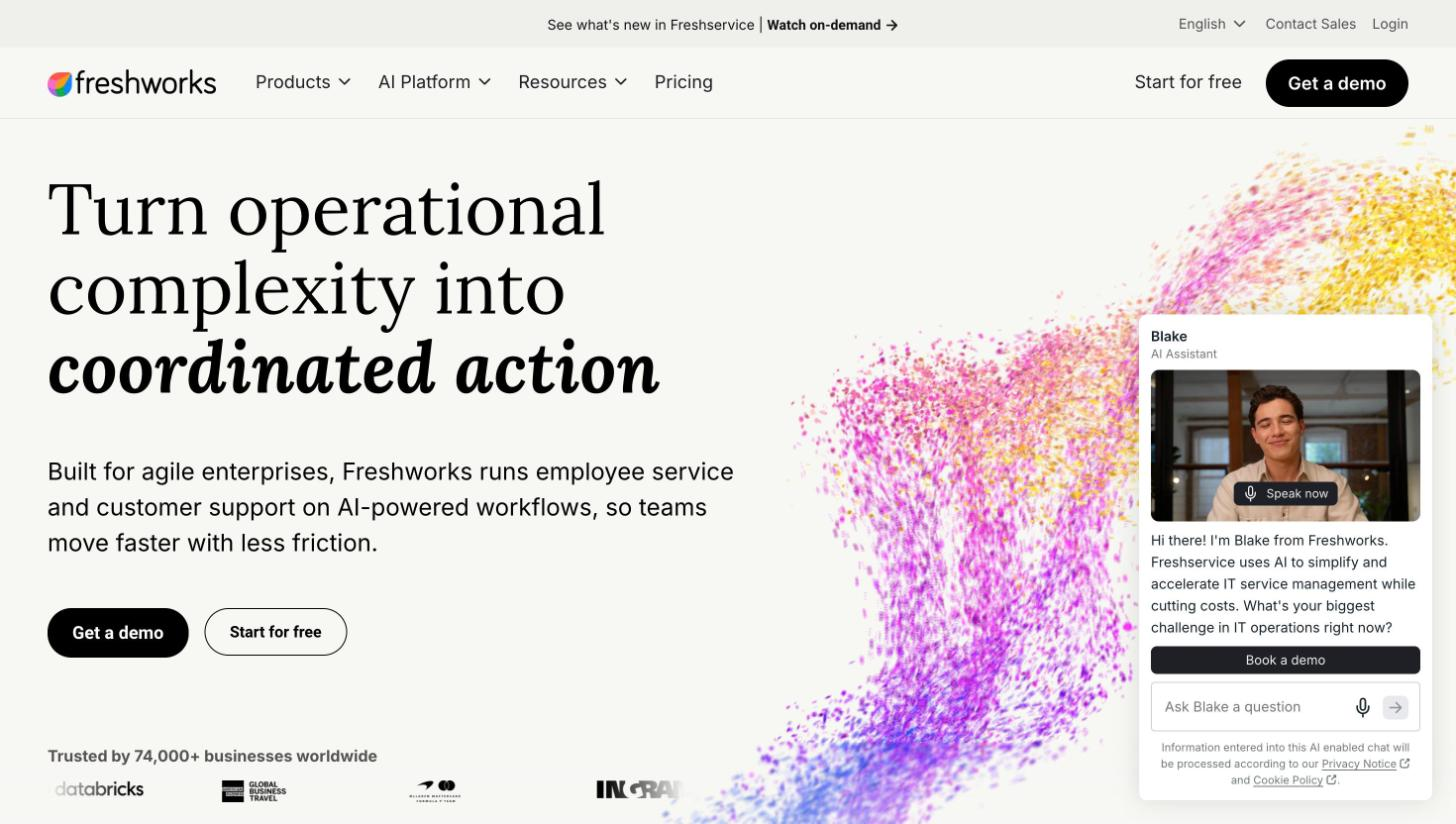
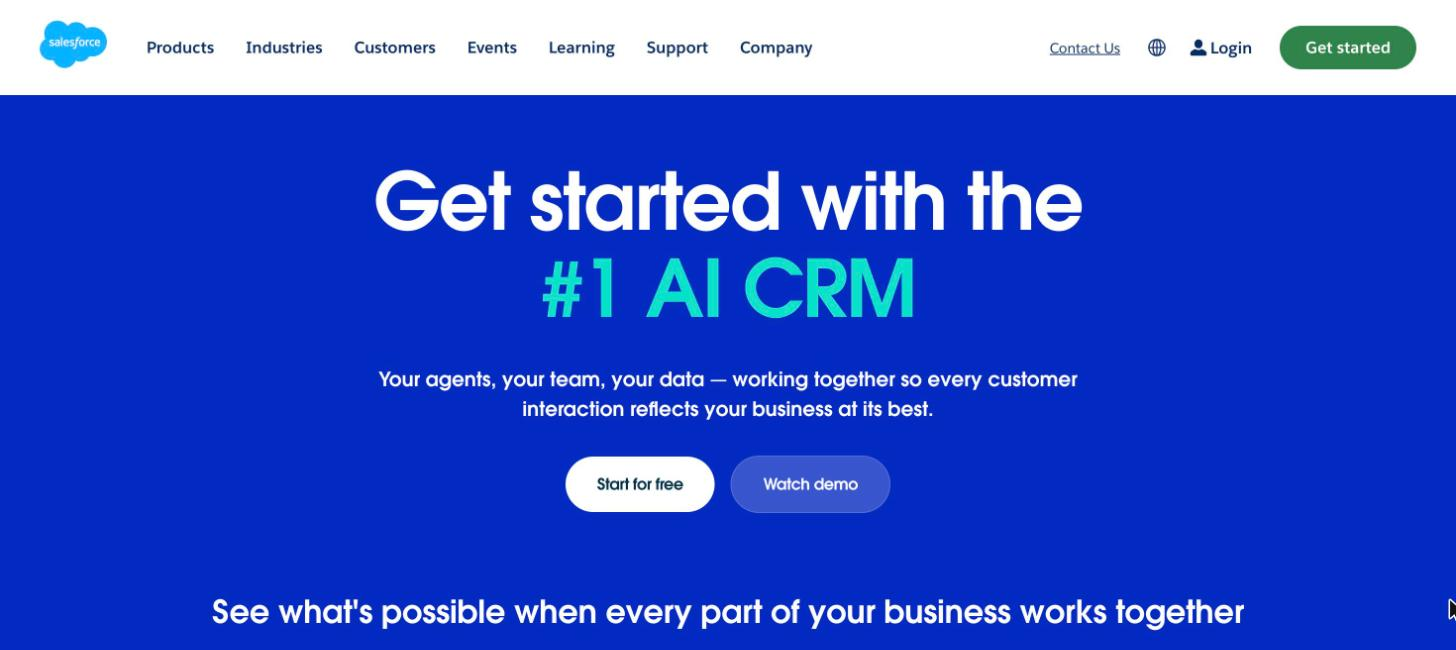
Freshworks homepage above the fold, with its main headline and top navigation.
Freshworks sells its AI agent as part of Freshdesk, so the agent and the helpdesk come from one vendor. Freshworks homepage, captured on November 17, 2026.

Best for: High-volume support teams already on Freshdesk.

What it does well: According to Freshworks the agent answers only from approved sources, can show or hide source citations, and needs admin permission before it touches customer data. It can take actions through APIs, such as refunds, subscription changes and shipping status, with integrations like Shopify and Stripe. The vendor also says the agent doesn't learn automatically from live conversations or ingest personal data.

Key features:

  • Chat across the web widget, Instagram, Messenger, LINE and other Freshchat channels, plus email through Freshdesk mailboxes, portals and forms
  • Knowledge from solution articles, files (.PDF, .DOCX, .TXT), structured Q&A and public URLs
  • Handover when a customer asks for a person, a topic is sensitive or out of scope, or a case needs review, with admin-defined trigger phrases and after-hours rules
  • Tone instructions and limits, with a persona of up to 500 characters and extra instructions up to 2,000

Considerations: The auto-close option marks a conversation resolved after a period of customer inactivity, so check that setting before you read any resolution number. Testing the bot in preview consumes sessions. If sessions run out, chat goes to human agents and the self-service widget stops working, per its docs. Limits include 100 files, 50 parent URLs and 150 flows per account.

Pricing: According to its pricing pages as of November 16, 2026, Freshdesk Omni costs $29 (Growth), $79 (Pro) and $119 (Enterprise) per agent per month billed annually, and Freshdesk costs $19, $55 and $89 on the same terms. Both include 500 one-time AI agent sessions, and additional sessions cost $49 per 100. Pricing details vary across its pages, so confirm the session rate in your quote. For Chat AI Agents, a session covers interactions within 24 hours. For Email AI Agents, it spans 72 hours from the customer's first email. Copilot costs $29 per agent per month on Pro and Enterprise.

Not a fit if: You don't run support in Freshdesk, or you're on an older plan, since its docs say the AI agent isn't available in previous plans. If you need the chat agent, plan for Freshdesk Omni, because only the email agent is available in both Freshdesk and Freshdesk Omni.

HubSpot Customer Agent

HubSpot Customer Agent is the support AI agent that answers questions, resolves tickets and hands off to your team on HubSpot's CRM and help desk, per its site.

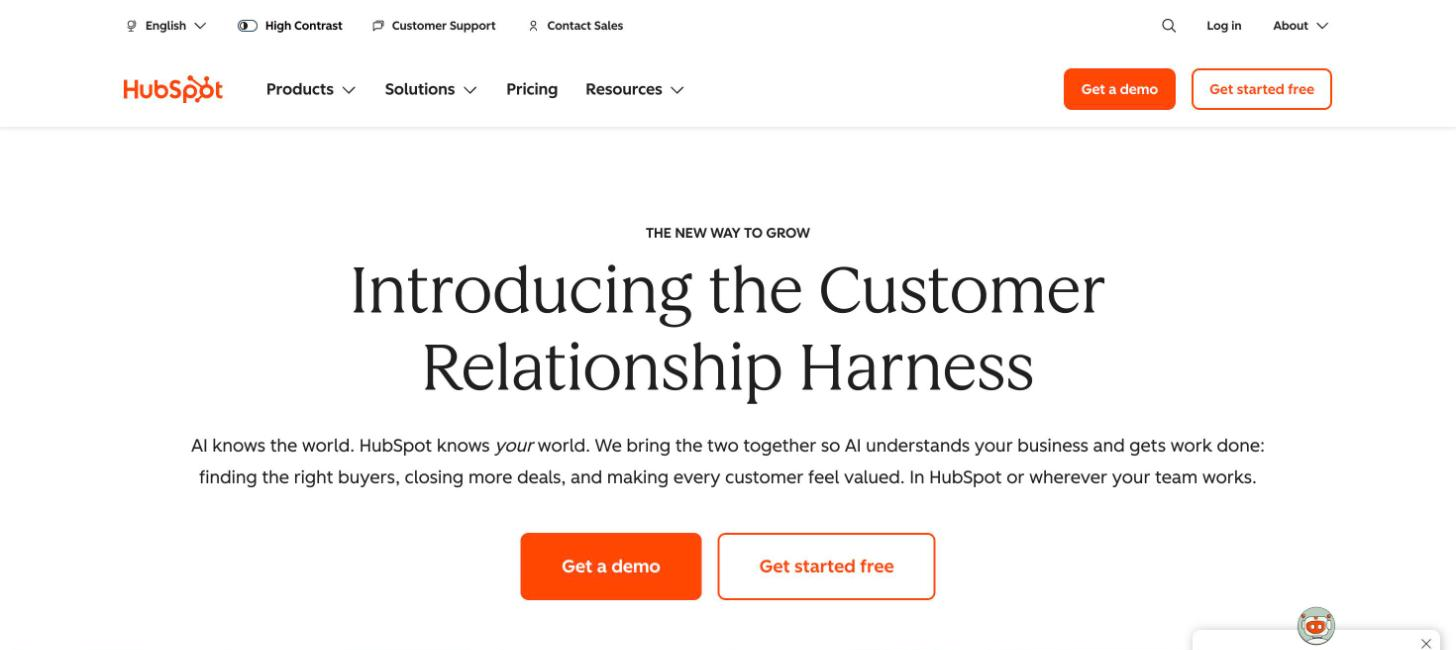
HubSpot homepage above the fold, with its main headline and top navigation.
HubSpot runs its Customer Agent on the same CRM and help desk its customers already use. HubSpot homepage, captured on November 17, 2026.

Best for: Teams already running support in HubSpot.

What it does well: HubSpot separates resolution from deflection in its own documentation.

A conversation counts as resolved when the agent answers using a content source or completes an action, provided no qualified handoff occurs within 72 hours after the visitor's last reply. Only visitor-initiated handoffs count as qualified. Manual or workflow assignments therefore don't stop a conversation from counting as resolved.

HubSpot also counts a lead marked qualified, partially qualified or not qualified as a resolution. That's a separate path the 72-hour rule doesn't cover.

You can test before publishing and roll the agent out to a percentage of conversations.

Key features:

  • Chat, email, forms, Facebook Messenger and inbound voice calls
  • Knowledge from your knowledge base, web and landing pages, blogs, files, internal documentation and CRM data, plus knowledge generated from resolved tickets in beta
  • Handoff rules you define, such as refunds outside policy, disputes, sensitive changes or a frustrated customer who asks for a person, with the option to transfer at once or keep helping until an agent is free
  • Actions in tools like Shopify
  • SOC 2 Type 2, model cards and an AI Trust Center, and HubSpot says that, by contract, AI providers can't train on your data

Considerations: Keep the manual-assignment exception and the lead-qualification path in mind when you compare HubSpot's resolution rate with another vendor's. Current-week resolution data lags because of the 72-hour window. You need an assigned seat to create and manage the agent, and several features are in beta.

Pricing: Per its site as of November 16, 2026, the agent costs $0.50 per resolution in messaging (50 HubSpot Credits), effective April 14, 2026, replacing $1.00 per conversation. Voice costs $0.50 per minute. Setting up and testing doesn't consume credits.

Not a fit if: Your company doesn't have, and doesn't plan to buy, a Professional or Enterprise subscription to a HubSpot hub. The agent requires one, plus credits.

Salesforce Agentforce for Service

Agentforce for Service puts autonomous AI agents inside Salesforce, deployed on Service Cloud channels and connected to your CRM data, per its site.

Salesforce homepage above the fold, with its main headline and top navigation.
Agentforce for Service works inside Salesforce, so it inherits the CRM data and permissions a team already has. Salesforce homepage, captured on November 17, 2026.

Best for: Organizations already on Salesforce.

What it does well: The handoff stays inside Salesforce. In enhanced messaging channels the agent transfers to a human agent or a queue through an outbound Omni-Channel flow, and per its docs "the conversation history, including messages and information gathered, is also transferred to the next destination." The trust controls are documented in detail: the Einstein Trust Layer, zero data retention with third-party LLMs, toxicity detection, prompt and response logging in Data 360 for audit, and respect for existing Salesforce permissions.

Key features:

  • Enhanced messaging channels such as Enhanced Chat and Facebook Messenger, email, and voice through partner telephony, plus the Lightning panel, the mobile app and Slack
  • Knowledge from Salesforce Knowledge and Data Libraries (knowledge, uploaded files, web search or a custom retriever), plus CRM records
  • Actions through Flow and Apex, MCP servers and agent memory
  • Agent Analytics with deflection, escalation and abandonment rates

Considerations: The transfer requires an enhanced messaging channel and an Omni-Channel flow. The agent attempts the transfer once per session, and if it fails, the agent keeps working with the customer. The credits model and the per-conversation model can't run in the same org, and the vendor's usage examples are illustrative and don't include Data 360 credits.

Pricing: According to Salesforce's pricing page as of November 16, 2026, there are three routes: $2 per conversation (aimed at customer-facing agents), consumption credits at $500 per 100,000 credits ($0.005 per credit, about 20 credits per action), or per-user licenses. The page also lists an employee-facing Agentforce add-on at $125 per user per month and Agentforce 1 Editions from $550 per user per month.

Not a fit if: You don't run service on Salesforce, or your org isn't on the Enterprise, Performance, Unlimited or Developer edition.

Zendesk AI agents

Zendesk AI agents are included in the Suite and Support plans, handle messaging, email and voice, and can take actions in authorized systems, per its site.

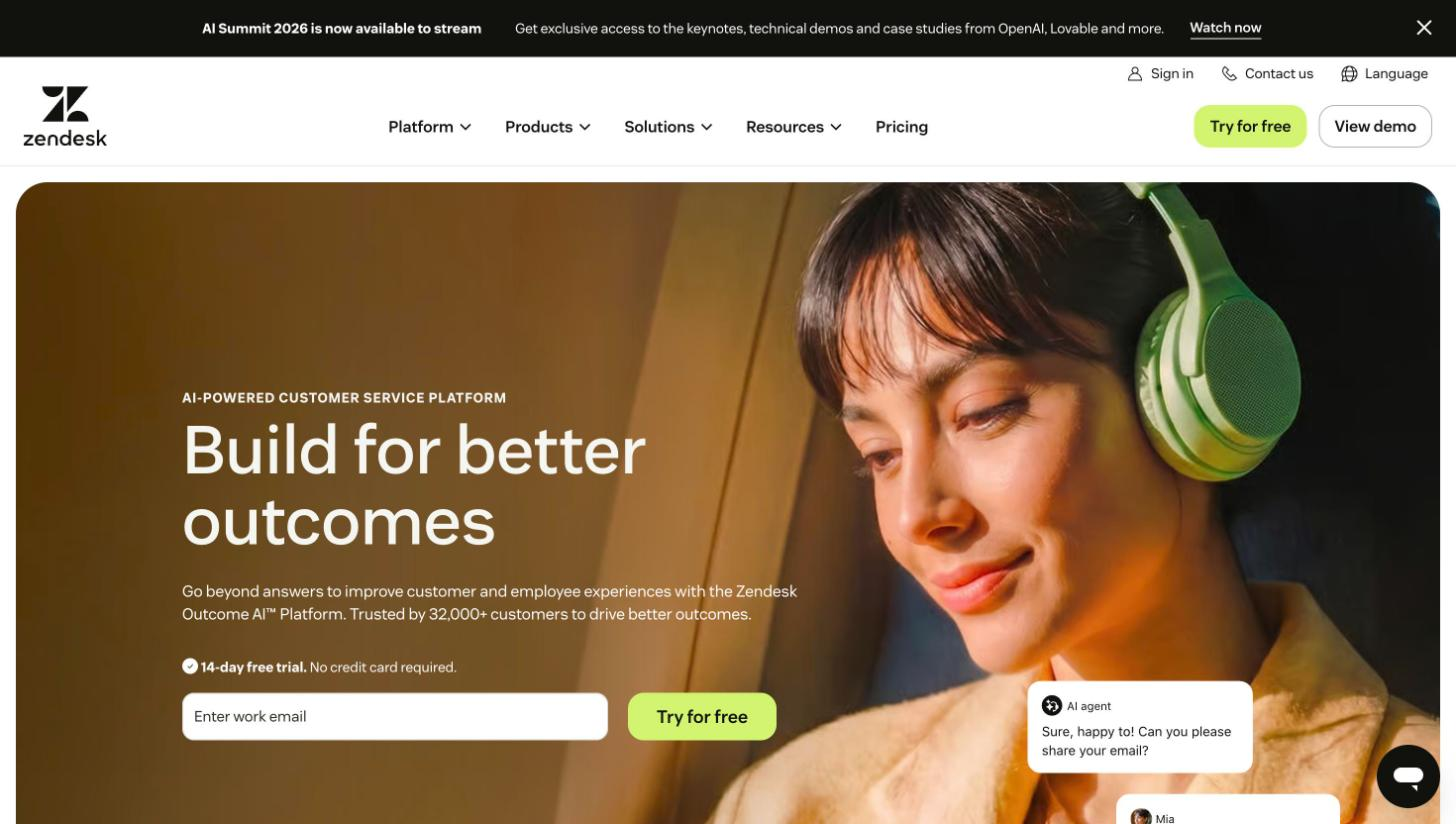
Zendesk homepage above the fold, with its main headline and top navigation.
Zendesk bundles its AI agents into its helpdesk plans and bills for the resolutions they deliver. Zendesk homepage, captured on November 17, 2026.

Best for: Teams on Zendesk that want AI billed per verified resolution.

What it does well: Its resolution unit has a built-in check. Under Zendesk's resolution tiers, verified resolutions pass an LLM review of the conversation text.

Contained resolutions don't pass that check. Neither contained resolutions nor assisted escalations count against the resolution allowance, per Zendesk. Since May 18, 2026, both verified and contained resolutions appear in the automated resolution rate.

Teams can test with scenarios before production, run A/B tests and review behavior. They also decide which changes go live.

Key features:

  • Messaging, email (including API and web form) and voice, which requires Zendesk Voice
  • Knowledge from the Zendesk help center, which must be enabled, plus external sources through a web crawler or knowledge connector, usually synced every 24 hours
  • Restricted articles for authenticated users, and only public articles for everyone else
  • Actions through APIs, MCP and connected tools such as CRMs and order systems
  • Knowledge generated from past resolutions, per Zendesk

Considerations: Zendesk recommends against connecting too many knowledge sources because accuracy can drop and latency can rise. At least one connected source is required for generative replies, and QA requires an add-on. Legacy features ("AI agents – Essential", the bot builder, answers and intents) are scheduled for retirement in 2027, which matters if your current setup runs on them.

Pricing: According to its pricing page as of November 16, 2026, plans with AI agents cost $19 (Support Team), $55 (Suite Team) and $115 (Suite Professional) per agent per month billed annually, and Enterprise has no public price. Plans include 5 resolutions per agent per month on Team and 10 on Professional, capped at 10,000 a year. Additional resolutions cost $1.50 committed or $2.00 pay as you go. Copilot is $50 per agent per month.

Not a fit if: You want the AI agent on a helpdesk other than Zendesk's own. In that case, the vendor points to standalone agents through Forethought, a separate offering.

Which AI platforms work alongside an existing helpdesk?

Standalone agent layers suit teams that want to keep their helpdesk and choose the AI agent separately. The agent answers first and hands the conversation off to the helpdesk your people already use. That makes the handoff the part to inspect: which helpdesks the vendor documents, what context travels with the conversation, and what happens when the transfer fails.

Ada

Ada builds AI customer service agents for large enterprises, with a platform to measure, test, train and expand them, per its site.

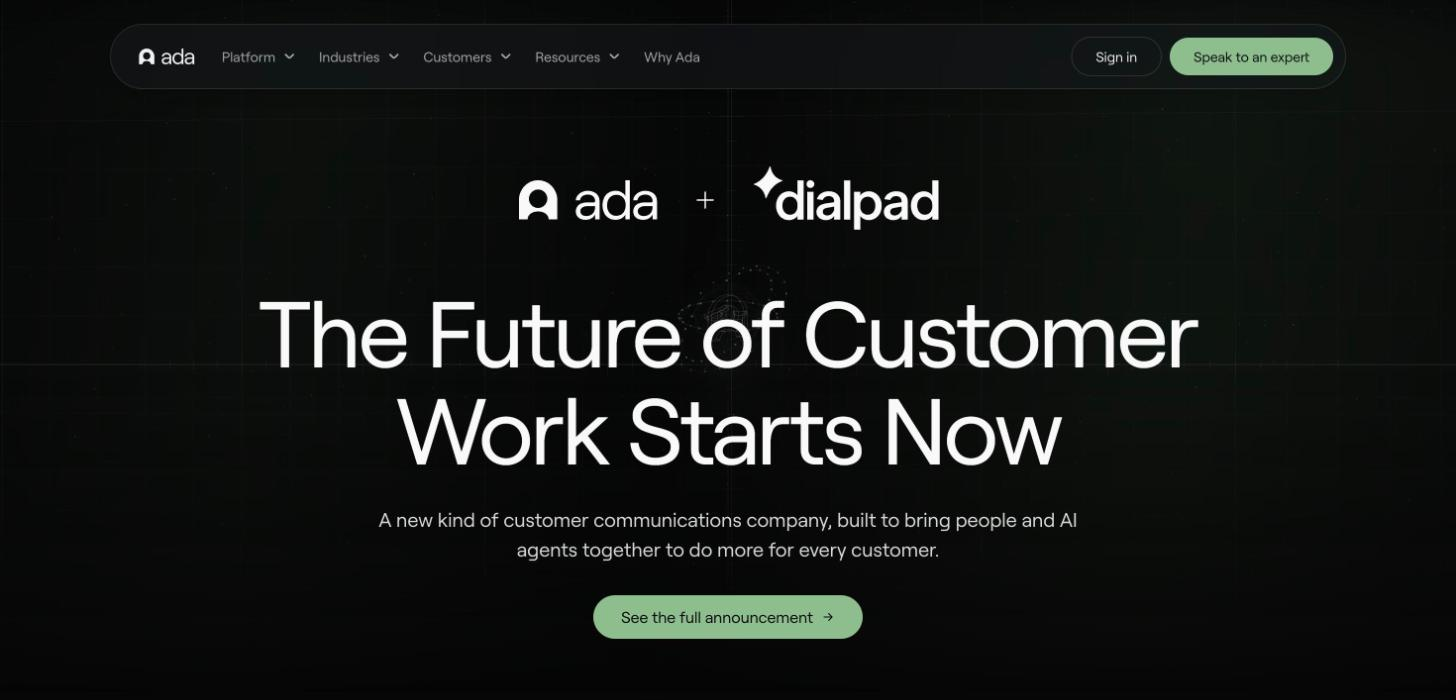
Ada homepage above the fold, with its main headline and top navigation.
Ada positions itself around AI agents for large enterprises and publishes a four-condition resolution rule. Ada homepage, captured on November 17, 2026.

Best for: Large enterprises that want to measure answer quality beyond containment.

What it does well: Ada publishes the most explicit resolution definition in this list. A conversation counts as an "Automated Resolution" only if it meets four conditions at once: relevant (it understood and answered with related help), accurate (correct, current information), safe (respectful, no harmful topics) and contained (no handoff to a person).

Ada distinguishes automated resolution from containment. In its view, containment only shows that a conversation ended without escalation. It can't tell a satisfied customer from one who gave up.

Completed handoffs are marked unresolved. Under Ada's assessment update rolling out starting November 10, 2026, a failed or offline handoff that returns to the AI agent can still be assessed for resolution.

Key features:

  • Messaging, voice and email
  • Handoffs chosen by the agent from the ones you configure, with a fallback handoff for errors and after-hours logic
  • Transcript and customer data passed as variables, with documented handoffs into Salesforce and Zendesk, generic email and custom integrations
  • Knowledge from Zendesk Guide, Salesforce Knowledge, Contentful, ServiceNow Knowledge, SharePoint and a Knowledge API, synced every 15 minutes on the main sources
  • Actions through Ada Computer, open APIs and SDKs, with HIPAA, SOC 2, GDPR, PCI DSS and AIUC-1 cited

Considerations: Up to five handoffs can be active at once. Knowledge access depends on the integration: SharePoint can use private folders, Zendesk can sync authorized private articles, and Salesforce can include internal visibility. Limits depend on the integration as well. The main knowledge bases take articles up to 100 KB, while SharePoint splits large documents, skips scanned PDFs and files over 25 MB, and allows one content language per connection.

Pricing: Ada doesn't publish pricing. Per its site as of November 16, 2026, its demo page offers "an ROI model grounded in your volume."

Not a fit if: Your handoff design needs more than five destinations active at the same time, or you're a small business, since Ada's site is built around large enterprises.

Decagon

Decagon is an AI agent platform for customer experience at large enterprises, where you write the agent's logic in natural language as Agent Operating Procedures (AOPs), per its site.

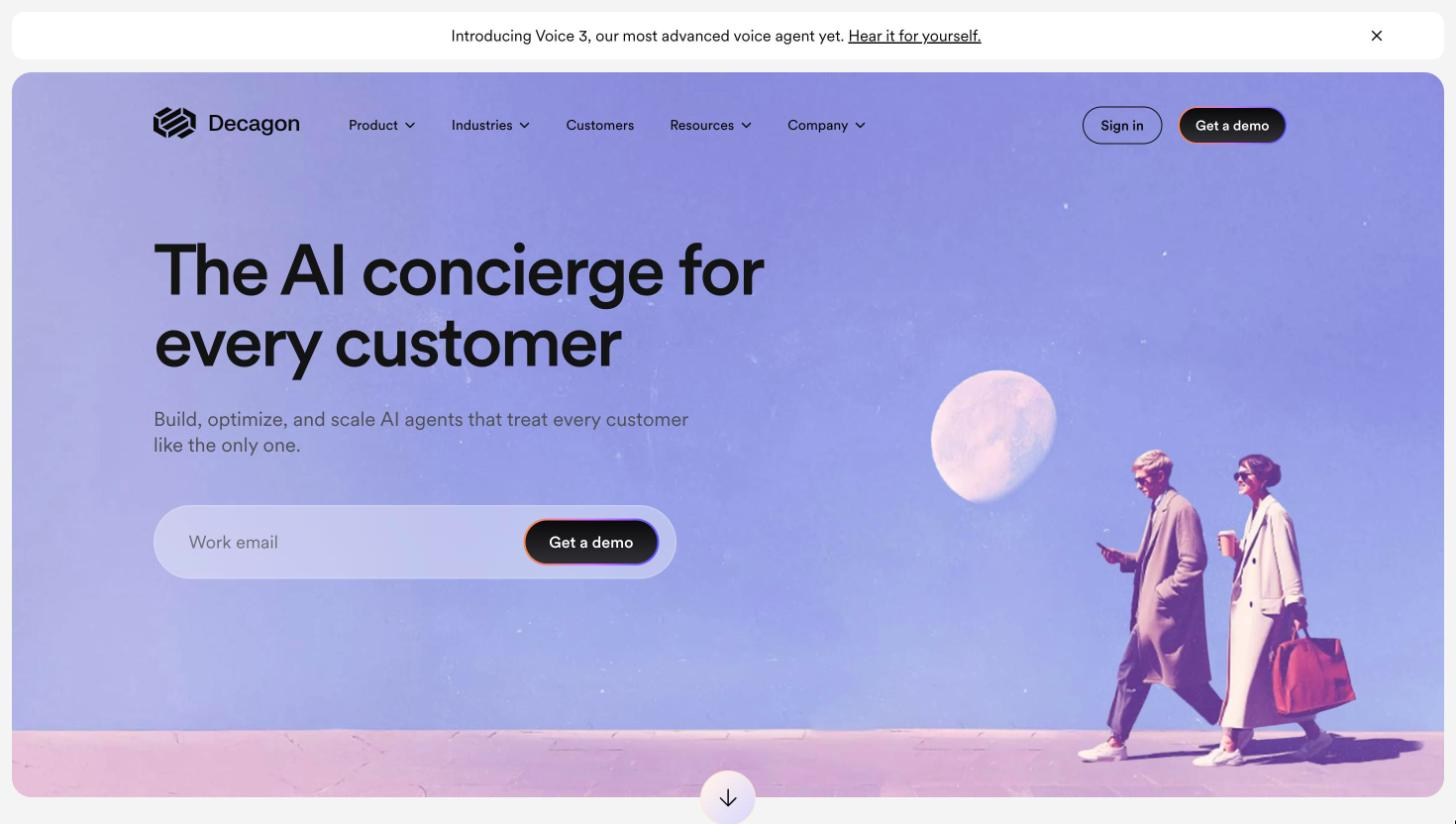
Decagon homepage above the fold, with its main headline and top navigation.
Decagon frames its product around building, optimizing and scaling AI agents for enterprise customer experience. Decagon homepage, captured on November 17, 2026.

Best for: Large enterprises with complex flows across chat, voice and email.

What it does well: Support teams describe processes in plain language through AOPs. The control layer covers the full cycle, per its site: Watchtower for continuous QA, simulations at scale, live A/B experiments, built-in guardrails, and strict controls for critical operations such as identity verification and refunds.

Key features:

  • Chat, voice and email
  • Voice transfers to human agents with RingCentral and Amazon Connect cited, and chat escalation through Zendesk Sunshine and Salesforce
  • Connected knowledge bases such as Confluence, Contentful and Kustomer, plus AI-assisted knowledge it calls Suggestions
  • Actions through connectors, MCP and APIs, with Salesforce, Intercom and Zendesk listed as integrations
  • A public Trust Center

Considerations: Decagon's pricing blog (December 10, 2024) describes resolution rate as the share of conversations resolved "without needing to escalate to a human" and acknowledges that a user who gets upset and leaves can be counted as resolved. It uses that point to argue for per-conversation pricing. Access is by demo, and its technical docs require a login.

Pricing: Decagon doesn't publish pricing. Its blog, read on November 16, 2026, describes two models: per conversation, a flat fee per inbound conversation that the vendor says most customers choose, and per resolution, a higher fee per resolved conversation with no charge for escalations.

Not a fit if: You want to review technical documentation or start building before a sales conversation, since access is by demo and the docs sit behind a login.

Intercom Fin

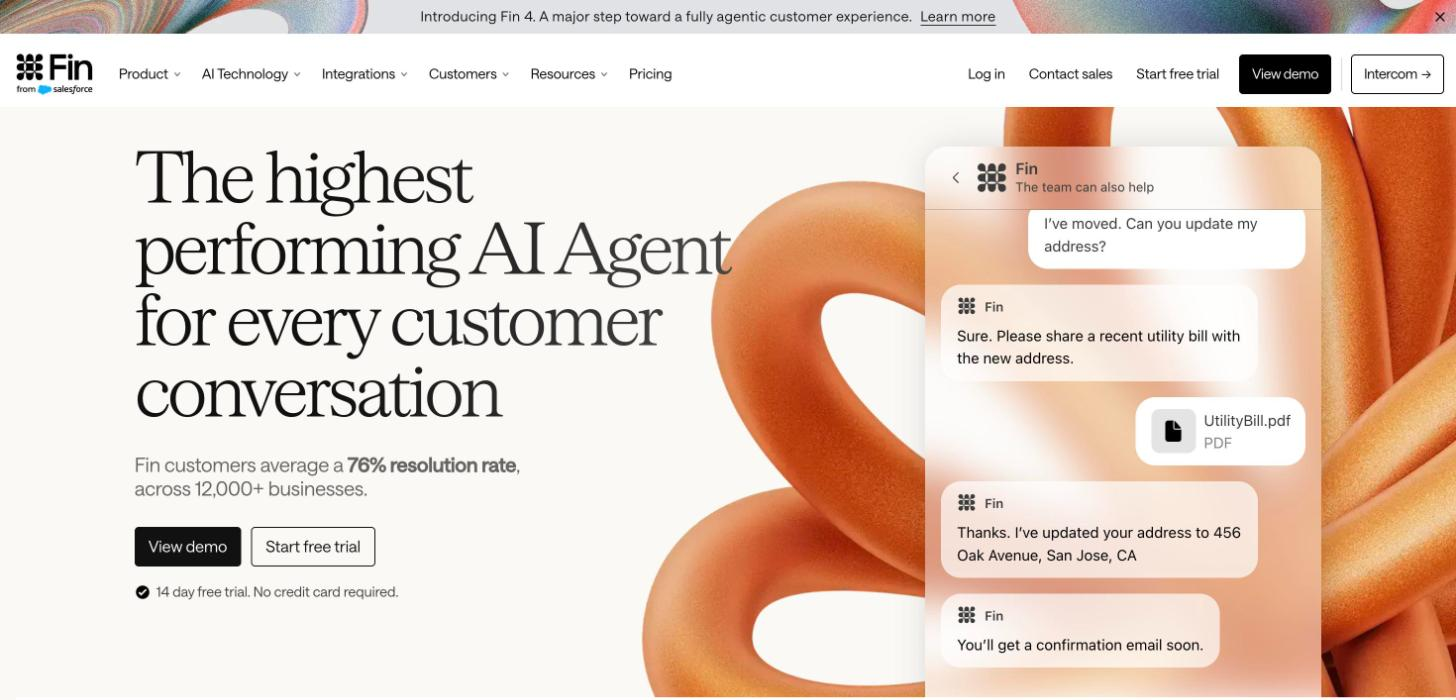
Fin is Intercom's customer-facing AI agent, presented as a single "Customer Agent" for service, sales, ecommerce and customer success that runs on Intercom's own helpdesk or other helpdesks, per its site.

Fin by Intercom homepage above the fold, with its main headline and top navigation.
Intercom sells Fin as one customer agent that works on any helpdesk, billed per outcome. Fin homepage, captured on November 17, 2026.

Best for: Teams of any size, on Intercom's helpdesk or another one.

What it does well: Fin's metrics are spelled out. A resolution is either confirmed, when the customer says the answer helped, or assumed, when the customer leaves without asking for more help. Its help center on fin.ai sets the window for an assumed resolution at 24 hours after the agent's last answer. Intercom's own guide describes assumed resolution without a fixed window.

Intercom publishes three rates: Automation Rate (conversations the agent resolved over all conversations), Resolution Rate (resolved over those it was involved in) and Involvement Rate. Since July 2026, conversations where the agent was active but didn't have an opportunity to answer are excluded from the updated "Fin Involved" metric. Existing custom reports can retain the legacy definition, per its help center.

By default, Fin escalates directly when a customer clearly asks for a person. Custom escalation guidance can change that behavior. The agent also offers to escalate when a customer is angry, when a conversation loops (three rounds with no new information) or when the customer uses words like "agent."

Key features:

  • Voice, chat, email, Slack and social channels
  • Learning from policies, rules and Procedures, brand tone, customer history and third-party data through APIs, Data Connectors or MCP
  • Simulations, regression tests and manual inspection before you publish, plus alerts, usage limits and real-time reports
  • Works natively in Intercom and with Salesforce, Freshdesk, HubSpot, Zendesk and other helpdesks, keeping context "no matter which helpdesk you use"
  • SOC 2, ISO 27001, ISO 42001, ISO 27701, AIUC-1 and HIPAA cited, with data hosting in the US, EU or Australia

Considerations: Outcomes include more than resolutions. A Procedure handoff, a disqualification or a route to self-service also counts as an outcome, so budget based on outcomes. On social channels, Fin doesn't show its sources in the answer, and billing is in USD only.

Pricing: According to its pricing page as of November 16, 2026, Fin costs $0.99 per outcome, with qualifications at $9.99. The helpdesk-agnostic plan has a 50-outcome monthly minimum. With Intercom's helpdesk, it starts at $0.99 per outcome plus $19 per seat per month, and there's a 14-day trial. Intercom doesn't charge when a customer explicitly asks for a person, a Procedure fails or a clarifying question goes unanswered.

Not a fit if: You'd run Fin on another helpdesk at very low volume, since the helpdesk-agnostic plan has a 50-outcome monthly minimum.

Sierra

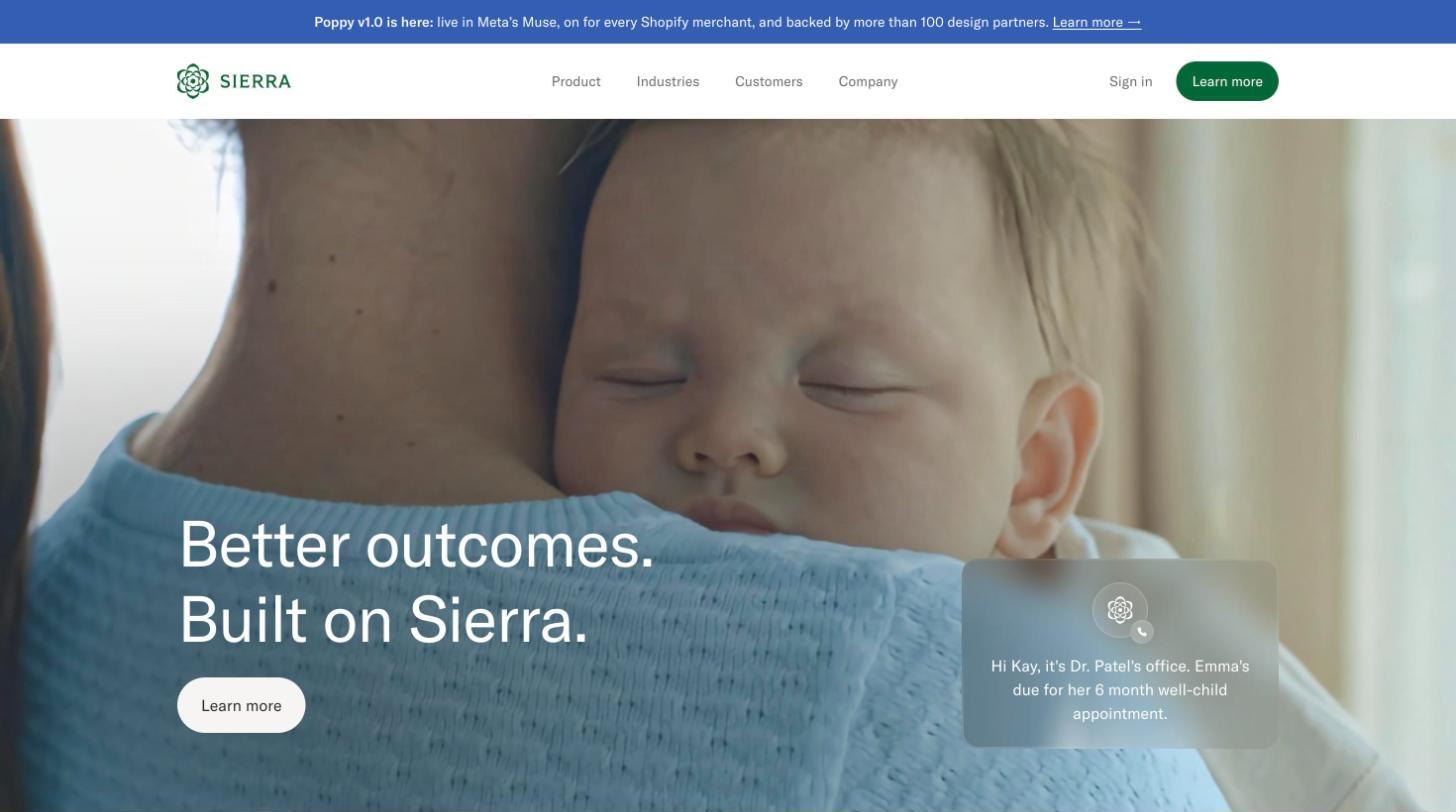
Sierra is a conversational AI platform for enterprises where one agent serves many channels. Agents can be built without code in Agent Studio and Ghostwriter or with code in the Agent SDK, per its site.

Sierra homepage above the fold, with its main headline and top navigation.
Sierra presents one conversational agent across channels and prices it on outcomes agreed with each customer. Sierra homepage, captured on November 17, 2026.

Best for: Large enterprises that want to pay per agreed outcome.

What it does well: Sierra prices on outcomes, such as a resolved support conversation, a prevented cancellation or an upsell, and says it sets "clear, agreed-upon criteria for each outcome upfront" with each customer. If a conversation stays unresolved or escalates, "in most cases" it doesn't charge, per its pricing blog (December 10, 2024). On handoff, the Agent SDK passes the conversation to the right team member with an automatically generated detailed summary.

Key features:

  • Chat, SMS, email, voice and ChatGPT, in 59 languages
  • Ghostwriter builds agents from SOPs, transcripts and recordings, and Sierra detects knowledge gaps and drafts articles from how human agents handle edge cases
  • Knowledge from help center content, FAQs, policies and documentation, connected to systems of record such as orders and CRM
  • More than 40 prebuilt integrations, contact centers included
  • Simulations, regression tests, voice simulations and API call inspection, with SOC 2, ISO 27001, ISO 42001, HIPAA, PCI DSS, FedRAMP and AIUC-1 among the certifications cited

Considerations: Because outcome criteria are set per customer, the resolution definition is set in your contract. Get it in writing before you compare Sierra's numbers with another vendor's. For simple interactions such as greetings or routing, the vendor says a blended model may use per-conversation pricing.

Pricing: Sierra doesn't publish pricing. Per its site as of November 16, 2026, it uses outcome-based pricing, and where outcomes aren't the best fit, it works out a blended approach that may bill greeter-style or routing interactions per conversation.

Not a fit if: You need one standard, published resolution definition to compare vendors before talking to sales, since Sierra defines outcomes with each customer.

Which messaging platforms combine AI agents with their own contact center?

indigitall also combines its AI agent, human contact center and customer messaging in one platform. Several suite vendors above likewise combine AI and a human workspace, so compare the documented handoff and integrations for your setup. The trade-off runs the other way from the standalone layers: you adopt the platform's own contact center for the human side instead of keeping your current helpdesk.

indigitall

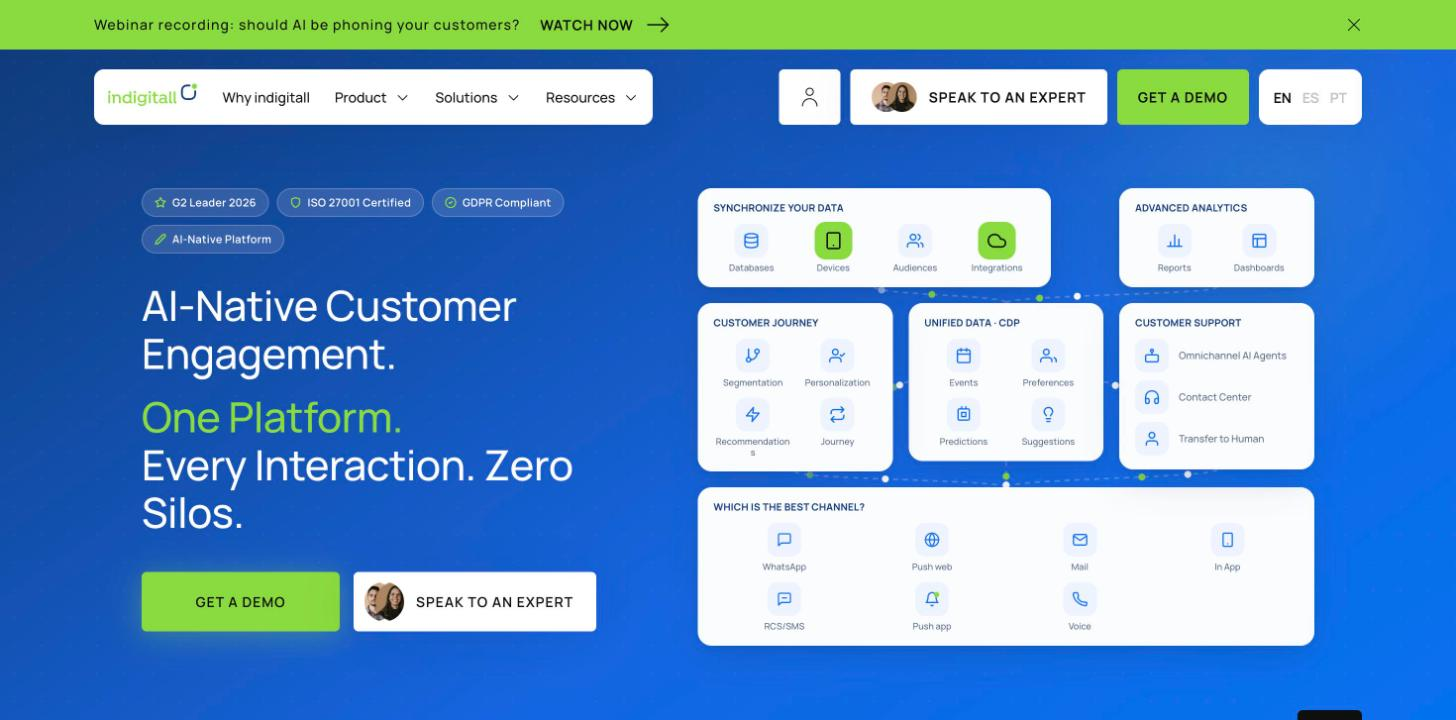
indigitall is a messaging and engagement platform whose AI agents connect to company systems to handle inquiries and complete tasks such as returns, bookings and record updates. They also hand off to people in its own Contact Center.

indigitall homepage in English above the fold, with its main headline and top navigation.
indigitall presents its AI agents, human contact center and customer messaging as one platform. indigitall homepage, captured on November 17, 2026.

Best for: Companies that want AI agents, a human contact center and customer engagement in one platform.

What it does well: The conversation context carries over during the handoff. Per its site the agent hands off to the Contact Center "with full conversation history, customer profile, and the resolution steps already attempted." The human agent then sees an AI-generated summary of the conversation and suggested replies to send, edit or discard.

Answers come from RAG over the customer's own content only (catalogs, FAQs, policies, service data), with no internet content. A supervisor agent routes each query to specialized agents, to people or to external systems.

In a deployment for Incapto, a coffee subscription brand in Spain, indigitall reports that 70% of bot chats were handled without a human. The public case doesn't define how successful resolution was verified.

"The management of the customer bot is particularly useful by allowing the management of automatic responses for simple queries, thus simplifying the daily workflow." (David F. on G2)

David F. describes the routine-query side of the work: the team manages the bot's automatic responses for simple questions, which is the part of the queue this guide is about.

Key features:

  • Chat on web and app, plus Instagram and Facebook Messenger
  • AI Voice for inbound and outbound calls, transferring to a person with a real-time transcript and a context summary
  • Actions through MCP against your CRM, ERP, booking engine, inventory, payment gateway or your own APIs, as described in the AI agents documentation
  • An agent panel with queues, transfers between agents and departments and wait-time metrics, and, per its site, human agents can handle 5 or 6 customers at once from desktop or mobile
  • A safety filter for brand, legal compliance and moderation, blocklists of terms, competitors or topics, a temporary block after inappropriate questions (10 attempts a day by default, configurable), a monthly spending cap with alerts at 80% and 100%, and a per-customer test environment with two-factor authentication
  • ISO 27001, GDPR, HIPAA, ENS and SOC 2 Type 2 cited

Considerations: Knowledge sources must be .pdf or .txt files (other formats are converted first), with no images or videos, all documents and sites in the same language, no duplicate file names, 50 MB per file, and URLs that are public or reachable from the customer's fixed IP.

Pricing: indigitall doesn't publish pricing on its site as of November 16, 2026.

Not a fit if: Your team wants to keep its current helpdesk as the desk for human agents, since the documented handoff goes to indigitall's own Contact Center. It also won't suit a team that needs a published per-resolution price to budget without talking to sales.

The same platform that answers customers also sends campaigns and journeys over push, email, SMS and RCS, and exposes its data through an MCP server. The table leaves these capabilities out because they sit outside deflection, though they change who on your team can use the platform.

How does each platform define its AI agent resolution rate?

Every AI agent resolution rate rests on three choices: the signal that counts as solved, the time window before the vendor calls it resolved, and whether anyone or anything confirms the resolution. Exclusions matter too. When you compare the definitions published on November 16, 2026, they fall into five patterns.

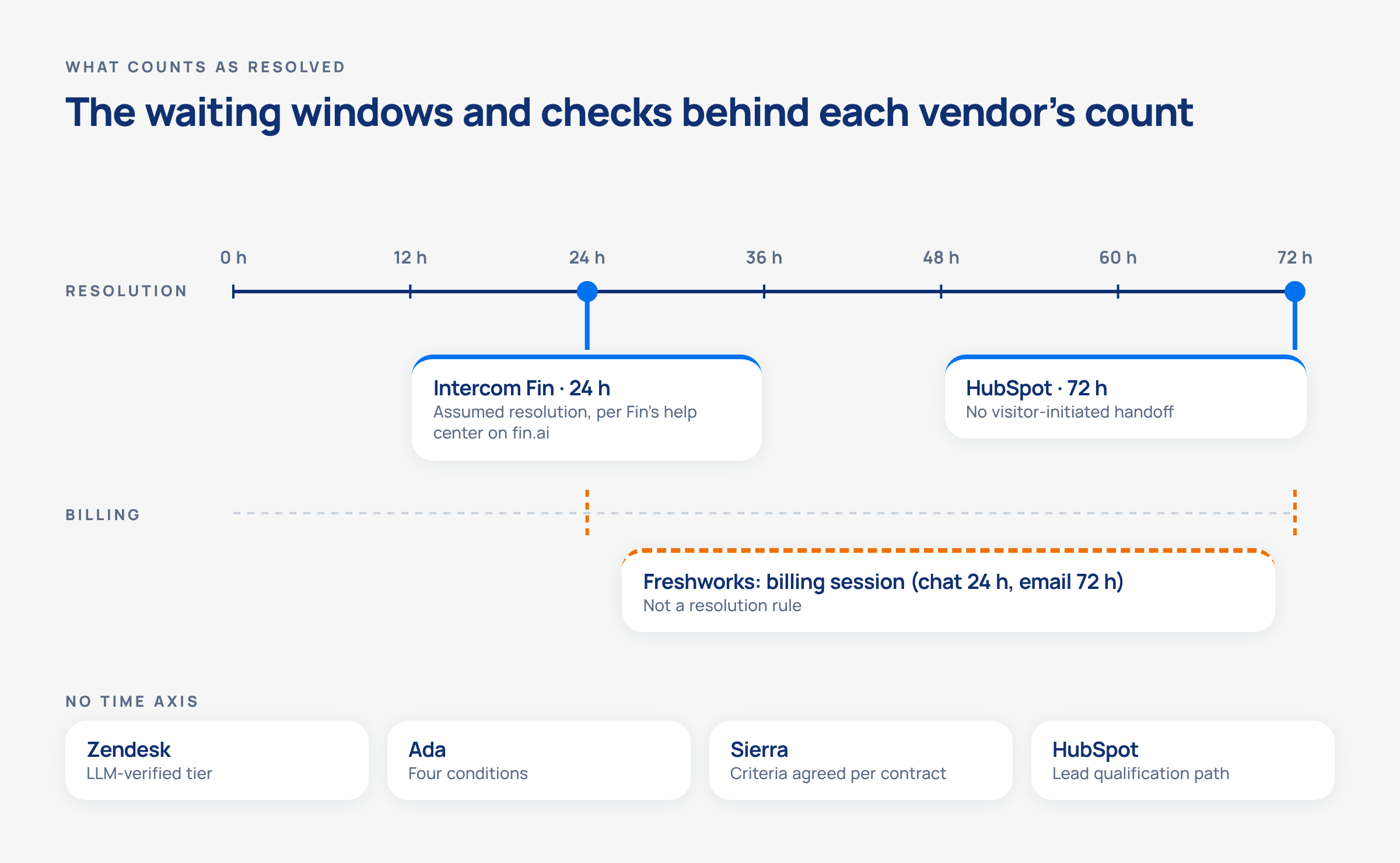
Timeline marking 24 hours for Intercom Fin, 72 hours for HubSpot and Freshworks billing sessions of 24 hours in chat and 72 hours in email, with badges for Zendesk, Ada, Sierra and HubSpot's lead path.
The same conversation can count as resolved after 24 hours with one vendor and only after 72 hours with another, so their rates aren’t comparable.
  • A time window. Per Fin's help center on fin.ai, an assumed resolution counts when the customer doesn't return within 24 hours of the agent's last answer (Intercom's own guide sets no window), and a confirmed one when the customer says it helped. HubSpot waits 72 hours after the visitor's last reply, counts only visitor-initiated handoffs against it, and also counts a qualified, partially qualified or not qualified lead as a resolution.
  • A quality check on top. Zendesk's verified resolutions pass an LLM review of the conversation text, and contained ones, which don't, still count in its automated resolution rate. Ada requires four conditions at once and evaluates them using its own agent's language understanding.
  • No escalation as the signal. Decagon's pricing blog describes resolution as no escalation to a human. Salesforce's Agent Analytics names deflection, escalation and abandonment rates, with abandonment triggered by a two-hour timeout by default.
  • Criteria agreed per contract. Sierra sets outcome criteria with each customer upfront.
  • A billing unit. Freshworks bills per session (24 hours in chat, 72 hours from the customer's first email for email), and a session doesn't define a resolution. Its docs suggest watching fallback frequency and repeated answers in chat, and reopens and follow-up emails in email.

indigitall doesn't publish a resolution definition on its site. Its chatbot documentation describes how it detects unanswered questions (fallback) and collects user ratings with emojis. The AI agent also learns from resolved, escalated and abandoned interactions.

Denominators differ as well. Intercom's Resolution Rate divides by conversations its agent was involved in, while its Automation Rate divides by all conversations. The "Fin Involved" metric itself changed in July 2026, as noted in the agent's profile.

Pricing units also differ: outcome, resolution, session, conversation, credit or agreed outcome. Put two vendors' headline percentages next to each other and you're comparing two rules, not two products.

What is the difference between ticket deflection and resolution?

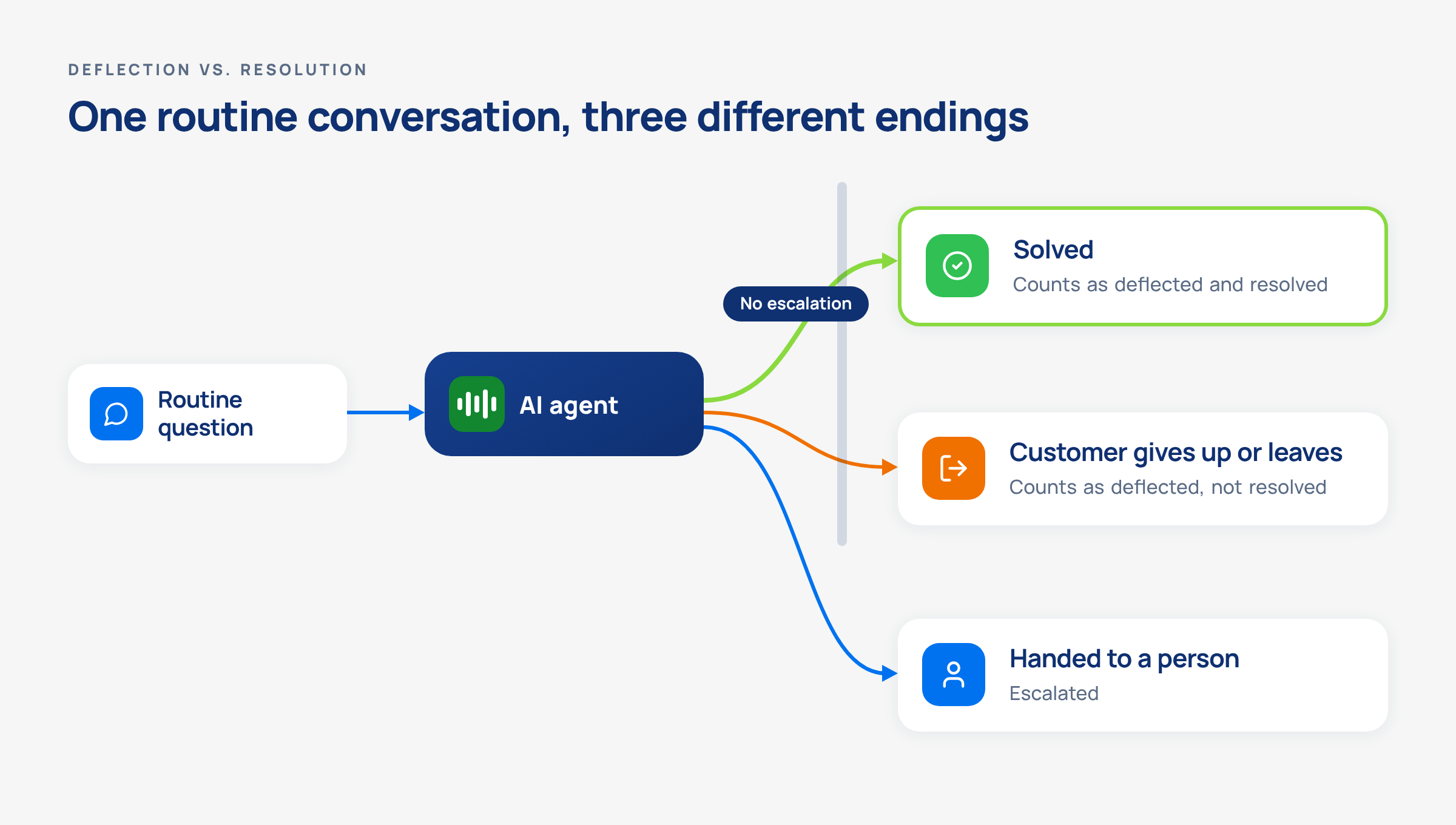
Ticket deflection means the customer didn't reach a person. Resolution means the customer's problem got solved. A conversation can be deflected and unresolved at the same time when the customer gives up, leaves or calls back through another channel. Salesforce's analytics state the deflection side plainly: "Share of sessions that ended without escalation." Ada makes the same distinction from the other side and says containment can't tell a satisfied customer from one who gave up. HubSpot publishes separate reference targets for resolution rate and deflection rate, treating them as two different metrics.

Flow diagram where a routine question reaches an AI agent and ends as solved, abandoned or handed to a person.
A deflection rate counts a solved question and an abandoned one the same way, and a resolution rule can help tell them apart, but its signals must be checked against actual customer outcomes.

That gap is where customers get stuck. The Consumer Financial Protection Bureau's report Chatbots in consumer finance (June 6, 2023) warns that "These 'doom loops' are often caused when a customer's issue falls outside the chatbot's limited capabilities," and that "Consumers may also find offramps to human customer service support further blocked through unreasonable waits." If you lead a support team, access to a person is part of the product you're buying.

Lawmakers have acted on the same point. California's AB 1609 was signed on September 28, 2026. It addresses access to human customer service at large businesses. Per the governor's office, it requires large businesses to make a good-faith effort to connect a customer to a human within 15 minutes of a request for human customer service, or schedule an appointment, and to disclose when a customer service representative is a chatbot and not a human.

Coverage still counts. An AI agent that answers when your team is offline keeps routine questions from waiting overnight, as one indigitall customer notes below. The point is to measure what happened to those questions after the answer.

"And the chatbot has helped us not miss any inquiries, even when we're not available at the moment." (Verified User in Accounting on G2)

A verified indigitall user in accounting describes coverage outside working hours. It's real value, and it's also exactly where a resolution rule should tell you whether those inquiries were solved or only answered.

How should you test routine support and AI chatbot human handoff before choosing?

Start with the routine questions you can measure. Pull a set of real past questions from your top routine topics, run them through each shortlisted agent, and score the answers against the reply your team would approve. Then go live on a share of traffic before you commit. HubSpot documents rollout by percentage of conversations, and setting up and testing its agent doesn't consume credits. Zendesk and Decagon document A/B testing, and Intercom documents simulations and regression tests. Check what the pilot costs elsewhere, too: according to Freshworks' docs, testing in preview consumes sessions.

Bring these questions to every demo:

  1. How do you count a resolution? Ask for the signal, the time window, the confirmation and the exclusions, in writing.
  2. What counts toward the bill? Outcome, resolution, session, conversation, credit or agreed outcome, and whether escalations, explicit requests for a person and tests are excluded.
  3. What happens when the agent can't answer? Ask to see the fallback, the loop detection and the trigger that hands off.
  4. What does the person receive at handoff? Conversation history, customer profile, a summary and the steps already tried, or less.
  5. How fast can a customer reach a person, and can that path be blocked? Test it yourself during and after business hours.
  6. How will you track recontact? Reopens, follow-up emails and repeat contacts on the same issue are signs that a conversation marked "resolved" wasn't actually resolved.
  7. Which helpdesk does the handoff land in? Ask for the documented integration with yours.

Run the same pilot set through every vendor and compare the results against one rule you define.

If your shortlist includes a platform where the AI agent and the human contact center work together, see how indigitall's AI agents hand off with the full conversation history and the steps already tried.

FAQs: AI customer service platforms for routine support

What is the best AI customer service platform for deflecting routine support questions in 2026?

The best AI customer service platform in 2026 depends on your team. If you already run Freshdesk, HubSpot, Salesforce or Zendesk, that suite's native agent is the natural place to start. If you want a separate agent on top of your current helpdesk, compare Ada, Decagon, Intercom Fin and Sierra. If you want AI agents and a human contact center in one messaging platform, look at indigitall. Pick by your helpdesk, your main channel and your monthly ticket volume.

What metrics prove an AI customer service agent is working?

You can only read a resolution rate when you know the rule behind it: the signal, the time window and any confirmation. Validate it against sampled conversations, recontact, escalation and customer feedback. Even a known rule can still count cases that weren't solved. Recontact means reopens, follow-up emails and repeat contacts on the same issue. Abandonment rate and fallback frequency belong in the same view. Freshworks' docs suggest watching fallback and repeated answers in chat and reopens in email. Salesforce's analytics report deflection, escalation and abandonment separately.

What happens when an AI support agent can't answer a question?

When an AI support agent can't answer a question, a well-configured agent should detect that and hand off to a person with context. Intercom Fin offers to escalate after three rounds with no new information, Ada uses a fallback handoff for errors, and indigitall's chatbot detects unanswered questions as fallback. The CFPB warns that "doom loops" happen when an issue falls outside a chatbot's capabilities, so test this path in every demo.

When should an AI chatbot hand off to a human?

An AI chatbot should hand off to a human when the customer asks for one, when the topic is sensitive, when the customer is frustrated, or when the request is out of scope. HubSpot and Freshworks let admins define those rules, and by default Intercom Fin escalates directly on a clear request for a person, unless custom escalation guidance changes that. California's AB 1609, signed on September 28, 2026, requires large businesses to make a good-faith effort to connect a customer to a human within 15 minutes of a request, or schedule an appointment, per the governor's office.

How should a support team start with AI for routine questions?

A support team should start by using AI for the routine questions it can measure, usually through chat. HubSpot recommends starting with chat and treats email as higher risk. Pick your most frequent routine topics, test the agent on real past questions, define your own resolution rule, and roll out to a share of traffic before you expand to more channels.

How do you keep customer trust when an AI agent answers repetitive questions?

You keep customer trust with an AI agent by limiting answers to approved content, making a person easy to reach, and passing context at handoff so customers don't repeat themselves. Some vendors restrict answers to content you approve, and some pass the conversation history and a summary to the human agent. California's AB 1609, signed in September 2026, also requires large companies to disclose when a customer service representative is a chatbot.

Why can't you compare AI customer service pricing directly?

You can't compare AI customer service pricing directly because vendors bill by different units. Per their pricing pages on November 16, 2026, HubSpot charges $0.50 per resolution, Intercom $0.99 per outcome, Zendesk $1.50 to $2.00 per additional resolution, Salesforce $2 per conversation or consumption credits, and Freshworks $49 per 100 sessions. Ada, Decagon, Sierra and indigitall don't publish prices. Model your own monthly volume against each unit.

About the Authors

Juan Carlos de la Vela

Juan Carlos de la VelaChief Executive Officer (CEO) at Indigitall

Juan Carlos de la Vela Benavides is the CEO and co-founder of Indigitall, an AI-driven customer engagement platform. With over 23 years of international experience, he has held senior roles at leading technology companies. At Indigitall, he leads the company’s strategic direction and oversees operations. His extensive background in sales and management has been instrumental in Indigitall’s growth and innovation in the digital communication sector.

Xavier Omella

Xavier OmellaCo-Founder

Xavier Omella is the Co-Founder of Indigitall, an AI-driven platform that enables businesses to manage and automate customer engagement across multiple digital channels. Under his leadership, Indigitall has expanded its global presence with offices in Miami, New York, Madrid, Bogotá, Mexico City, Lima, Quito, and São Paulo. The company has been recognized for its innovative approach to digital communication, earning the ISO 27001 Certification for Information Security Management System (ISMS) and the Innovative SME certificate from the Spanish Ministry of Science, Innovation and Universities. Indigitall’s platform offers a comprehensive suite of tools, including AI-powered marketing automation, customer journey orchestration, and omnichannel engagement, serving industries such as retail, healthcare, banking, and telecommunications.

Josh Rice

Josh RiceChief Marketing Officer at Indigitall

Josh Rice is the Chief Marketing Officer at Indigitall, an AI-driven customer engagement platform. Previously, he served as Associate Director of Marketing at Decision Lens, focusing on modernizing government planning and funding processes. Prior to that, he held roles at Rosetta Stone, including Senior Manager of North American Marketing and Marketing Operations, and Enterprise Marketing Manager. Josh also worked as Digital Marketing Manager at Perfect Sense, where he developed demand generation strategies that significantly increased discovery calls and qualified opportunities. Earlier in his career, he was Product Marketing Manager and Digital Marketing Coordinator at Jinfonet Software, and Inside Sales Representative at Lenovo. His diverse experience in marketing and operations across various companies contributes to Indigitall’s mission of enhancing customer engagement through AI-powered solutions.

Related Articles

This site is registered on wpml.org as a development site. Switch to a production site key to remove this banner.